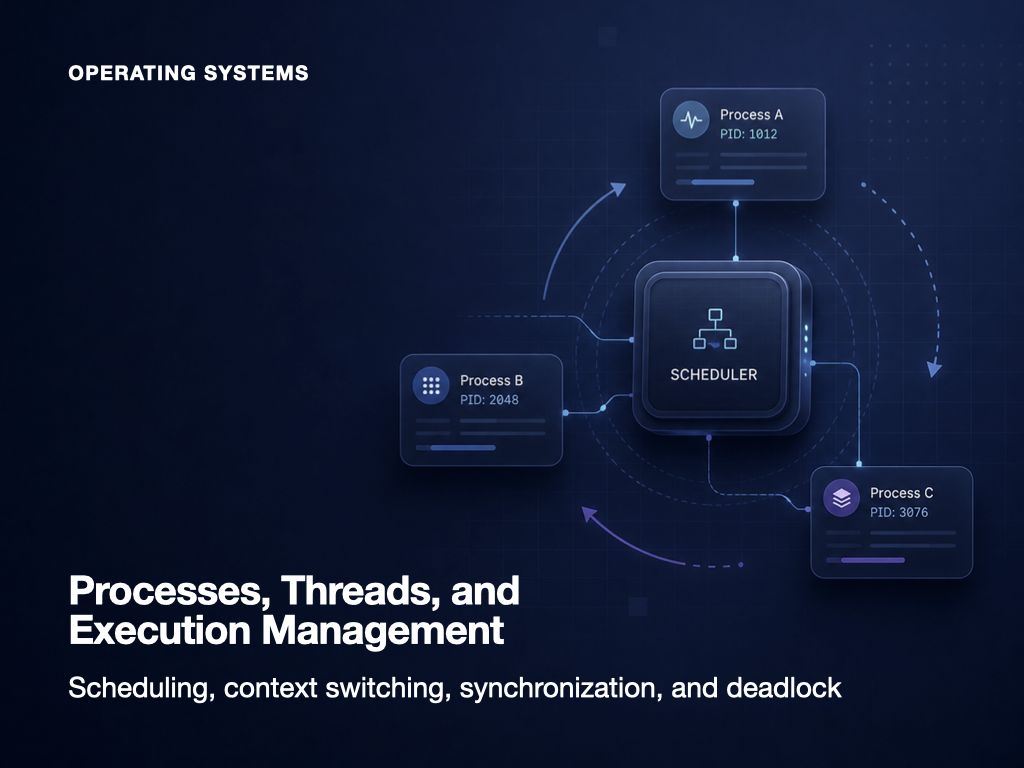
A program stored on a computer is not yet an active task.
An executable file contains instructions and data, but it does not use the CPU or maintain an execution state until someone runs it. When a user launches the program, the operating system loads it into memory, assigns resources, creates management structures, and prepares it for execution.
The running instance is called a process.
A single process may contain several flows of execution. A web browser can render a page, receive data from the network, respond to user input, and download a file at the same time. A server application may need to handle many client requests concurrently.
Each independently scheduled flow of execution inside a process is called a thread.
The distinction is often summarized as follows:
Process
A program in execution

Thread
A flow of execution within a process
That definition is correct, but it does not explain the whole system.
To understand processes and threads properly, we also need to ask:
- How does the operating system distinguish running programs?
- Which resources belong to a process?
- Why do several programs appear to run simultaneously on one CPU?
- Which resources do threads share, and which resources remain private?
- Why is context switching necessary?
- What happens when several threads modify the same data?
- How do mutexes and semaphores differ?
- Under what conditions does a deadlock occur?
- How do these concepts appear in Java and server applications?
This article follows the complete path from launching a program to scheduling threads, protecting shared data, and resolving execution conflicts.
Programs and processes are not the same thing
A program is a static collection of instructions and data stored on a storage device.
Examples include:
chrome.exe
java
my-server.jar
calculator
Before execution, the program has no current instruction position, CPU register values, runtime stack, or active resources.
A process, by contrast, is a dynamic execution instance managed by the operating system.
Program
Executable code stored on disk

Process
A running instance loaded into memory
Launching the same program several times can create several independent processes.
Suppose Isaac opens a text editor twice.
Text editor program
→ Process P1
→ Process P2
Both processes originate from the same executable, but each has its own execution state and address space.
Editing a document in P1 does not automatically modify the memory of P2. If P1 crashes, P2 may continue running.
A process therefore includes much more than executable code:
- program instructions
- current execution state
- virtual address space
- CPU register values
- open files
- input and output resources
- security and ownership information
- scheduling information
- one or more threads
- a process identifier
The operating system uses this information to isolate, schedule, pause, resume, and terminate processes.
What the operating system does when a process is created
When a user launches a program, the operating system performs a sequence similar to the following:
1. Locate and validate the executable
2. Allocate a process identifier
3. Create process-management structures
4. Build a virtual address space
5. Map or load program code and data
6. Initialize the stack and heap
7. Connect required files and devices
8. Create the initial thread
9. Place the process in a ready queue
10. Wait for CPU scheduling
Creating a process does not mean it immediately begins executing.
Several processes may already be waiting for the CPU. The scheduler chooses when the new process receives CPU time.
The memory structure of a process
A process address space is commonly described using several logical regions.
Higher addresses
┌──────────────────┐
│      Stack       │
│        ↓         │
├──────────────────┤
│                  │
│    Free Space    │
│                  │
├──────────────────┤
│        ↑         │
│       Heap       │
├──────────────────┤
│    Data / BSS    │
├──────────────────┤
│       Code       │
└──────────────────┘
Lower addresses
The exact layout varies by operating system, runtime, executable format, and architecture, but the conceptual division remains useful.
Code segment
The code segment contains the machine instructions executed by the CPU.
For example:
public int add(int a, int b) {
    return a + b;
}
The compiled instructions for this method ultimately reside in executable memory.
Code pages are often protected as read-only so that normal execution cannot modify them accidentally. Several processes running the same program may share physical code pages while still observing separate virtual address spaces.
Data segment
The data area stores global and static data.
Initialized and uninitialized data may be placed in separate regions depending on the executable format.
public final class ApplicationState {

    private static int requestCount = 0;
}
In Java, the JVM manages class metadata and runtime objects through its own internal memory structures. From the operating system’s perspective, however, all of this still exists inside the JVM process.
Heap
The heap is used for dynamically allocated objects.
In Java, objects created with new are generally stored in the JVM heap.
Order order = new Order();
The heap is shared by threads within the same process.
That sharing is convenient, but it also means that multiple threads may access the same object concurrently. Shared mutable objects therefore require careful synchronization.
Java’s garbage collector reclaims objects that are no longer reachable. This management occurs inside the memory assigned to the JVM process.
Stack
A stack stores information related to method and function calls.
It commonly contains:
- parameters
- local variables
- return addresses
- saved register values
- stack frames
public int calculate(int price) {
    int tax = price / 10;
    return price + tax;
}
Variables such as price and tax may be stored in the current execution flow’s stack frame.
Each thread has its own stack.
If two threads call the same method at the same time, each thread maintains its own parameters, local variables, and call sequence.
This is one of the most important differences between shared process memory and thread-specific execution state.
The Process Control Block stores process state
The operating system manages each process through a structure commonly called a Process Control Block, or PCB.
If a process is paused so that another process can use the CPU, the operating system must preserve enough information to continue the first process later.
The PCB stores that information.
Typical PCB contents include:
| Category | Examples |
| Identification | Process ID, parent process ID, user ID |
| Process state | New, ready, running, waiting, terminated |
| CPU context | Program counter, stack pointer, registers |
| Scheduling data | Priority, queue links, CPU usage |
| Memory data | Page-table references, address-space information |
| I/O data | Open files, assigned devices |
| Accounting data | Execution time, resource usage |
| Relationships | Parent-child relationships, signals |
When a process loses the CPU, its register values and current instruction position are saved.
When the process is scheduled again, those values are restored, allowing execution to continue from the point where it stopped.
Process states and transitions
A process is not always running on the CPU.
A common five-state model includes:
New
→ Ready
→ Running
→ Waiting
→ Ready
→ Running
→ Terminated
New
The process is being created.
The operating system may be:
- assigning a PID
- creating a PCB
- preparing the address space
- mapping the executable
- initializing resources
After initialization, the process moves to the ready state.
Ready
The process has everything it needs to run except CPU time.
Prepared to execute
Waiting for a CPU
Ready processes wait in one or more scheduling queues.
When the scheduler selects a process, it moves to the running state.
Running
The process or one of its threads is currently executing instructions on a CPU core.
At a given instant, one CPU core executes one instruction stream. A multicore processor can execute multiple threads or processes physically in parallel.
Waiting or blocked
A process enters the waiting state when it cannot continue until some event occurs.
Examples include:
- waiting for a disk read
- waiting for a network response
- waiting for user input
- waiting for a lock
- waiting for a timer
- waiting for another process
A blocked process would make no progress even if it were given the CPU.
The operating system therefore schedules another ready process.
When the event completes, the blocked process generally moves back to the ready state. It does not necessarily begin running immediately; it must compete for CPU time again.
Terminated
The process has finished or has been forcibly stopped.
The operating system may then:
- reclaim memory
- close files
- release devices
- preserve an exit code
- notify the parent process
- remove process-management information
Some systems retain limited termination information until the parent process acknowledges it.
Major process-state transitions
| Transition | Meaning |
| New → Ready | Process initialization completed |
| Ready → Running | Scheduler assigned a CPU |
| Running → Ready | Time slice expired or process was preempted |
| Running → Waiting | Process requested I/O or another event |
| Waiting → Ready | The required event completed |
| Running → Terminated | Process finished or was stopped |
Operating-system exam questions often test whether a transition is possible.
A blocked process normally moves to ready, not directly to running, when its event completes.
A thread is an execution flow inside a process
A process is often described as a unit of resource ownership and protection.
A thread is more closely associated with CPU execution and scheduling.
Every process contains at least one thread.
Process
├── Thread 1
├── Thread 2
└── Thread 3
The first thread is normally created when the process starts. Additional threads can be created as needed.
A web browser might use separate execution flows for:
- handling input
- rendering the page
- performing network communication
- downloading files
- running background calculations
A server may use different worker threads for different requests.
Request 1 → Worker thread A
Request 2 → Worker thread B
Request 3 → Worker thread C
While one request waits for database or network I/O, another thread can continue processing useful work.
What processes and threads own
A process owns an address space and operating-system resources.
Threads inside that process share many of those resources, while maintaining their own execution context.
Resources generally associated with the process
- code
- global and static data
- heap
- open files
- sockets
- virtual address space
- process permissions
- process-level operating-system resources
Information generally private to each thread
- program counter
- CPU registers
- stack
- thread identifier
- scheduling state
- thread-local storage
The relationship can be visualized as follows:
Process
┌──────────────────────────────┐
│ Code                         │
│ Global data                  │
│ Heap                         │
│ Open files and sockets       │
│                              │
│  Thread A       Thread B     │
│ ┌─────────┐    ┌─────────┐   │
│ │Registers│    │Registers│   │
│ │PC       │    │PC       │   │
│ │Stack    │    │Stack    │   │
│ └─────────┘    └─────────┘   │
└──────────────────────────────┘
The key differences between processes and threads
| Criterion | Process | Thread |
| Meaning | Running program instance | Execution flow within a process |
| Address space | Normally isolated | Shared with other threads in the process |
| Heap and global state | Separate by process | Shared within the process |
| Stack | Each process contains thread stacks | Each thread has its own stack |
| Creation cost | Relatively high | Relatively low |
| Context switching | Usually heavier | Usually lighter within one process |
| Communication | Requires IPC | Can communicate through shared memory |
| Failure isolation | Stronger | Weaker |
| Security boundary | Clearer | Shares process privileges |
| Synchronization | Needed for shared IPC resources | Essential for shared mutable state |
Processes provide strong isolation, but they are more expensive to create and communicate with.
Threads are lightweight and share data efficiently, but their shared memory makes synchronization more difficult.
Processes are isolated, but they still need to communicate
Separate processes generally cannot directly read or write one another’s private memory.
This protects stability and security. A memory error in one process is less likely to corrupt another process.
Processes still need to cooperate, however.
They use Inter-Process Communication, or IPC.
Common IPC mechanisms include:
- pipes
- named pipes
- message queues
- shared memory
- sockets
- signals
- memory-mapped files
- remote procedure calls
Pipes
A pipe transfers the output of one process to the input of another.
For example:
cat access.log | grep ERROR
The output of cat becomes the input of grep.
Pipes are simple and useful for streaming data between related commands or processes.
Message queues
A sender places messages into a queue, and a receiver consumes them later.
The sender and receiver do not always need to run at exactly the same time.
Message queues provide a clearer communication boundary than direct shared-memory access, though they introduce messaging and serialization overhead.
Shared memory
Shared memory maps the same physical memory into multiple process address spaces.
It can be very fast because it avoids repeated data copying.
The trade-off is that processes can now access the same mutable state. Separate synchronization mechanisms are required to prevent races.
Sockets
Sockets allow processes to communicate either on the same machine or across a network.
Web clients and servers communicate through sockets.
Sockets provide strong architectural separation but require protocol design, data encoding, error handling, and connection management.
IPC is generally more explicit and more expensive than communication between threads in one process. Its advantage is stronger isolation and clearer boundaries.
Multiprocessing and multithreading
A workload can be divided across multiple processes or multiple threads.
Multiprocessing
Multiprocessing uses several processes.
Workload
├── Process A
├── Process B
└── Process C
Advantages include:
- strong memory isolation
- better fault containment
- separate security boundaries
- support for different runtimes or languages
- independent resource management
Costs include:
- higher creation overhead
- greater memory usage
- IPC complexity
- serialization and copying
- heavier context switches
Modern browsers often separate rendering work into multiple processes. A crash in one page can then be prevented from terminating the entire browser.
Multithreading
Multithreading uses several threads within one process.
Process
├── Thread A
├── Thread B
└── Thread C
Advantages include:
- lower creation cost
- shared code and heap
- simple in-process data exchange
- useful overlap while one thread waits for I/O
- lower switching overhead in many cases
Costs include:
- race conditions
- synchronization requirements
- nondeterministic execution order
- difficult debugging
- deadlocks
- starvation
- weak failure isolation
The correct choice depends on the desired balance between isolation, communication cost, and shared-state complexity.
Concurrency and parallelism are different
Concurrency and parallelism are related but not identical.
Concurrency
Concurrency means that several tasks make progress during overlapping periods of time.
A single CPU core can alternate rapidly between threads.
Time →
Thread A: Running ─ Waiting ─ Running
Thread B: Waiting ─ Running ─ Waiting
Only one thread may execute at a particular instant, but several tasks progress during the same broader interval.
Parallelism
Parallelism means that multiple tasks execute physically at the same moment.
CPU core 1 → Thread A
CPU core 2 → Thread B
A useful distinction is:
Concurrency
A structure for managing overlapping work

Parallelism
Actual simultaneous execution
Concurrency is possible on a single core.
Parallelism normally requires multiple cores or execution units.
Context switching changes the active execution flow
A CPU alternates between processes and threads.
Saving the current execution state and restoring another execution state is called a context switch.
Run P1
→ Save P1's registers and program counter
→ Restore P2's saved state
→ Run P2
A context switch generally includes:
- saving the current CPU state
- updating scheduling and process information
- selecting the next execution unit
- restoring the next execution unit’s state
- switching memory-management context if necessary
- resuming execution
A context switch does not perform application work.
It is management overhead.
Too many context switches can therefore reduce useful CPU throughput.
Why process switches are often more expensive
Switching between processes may require changing the active address space.
Potential costs include:
- switching page-table context
- affecting the Translation Lookaside Buffer
- losing CPU cache locality
- updating security boundaries
- changing process-specific kernel data
- reloading memory-management state
Threads within the same process share an address space, so their switches may avoid some of these costs.
A thread switch is still not free. Registers and stack pointers must be changed, and cache locality may still be reduced.
CPU scheduling selects the next task to run
When several execution units are ready, the operating system must choose one.
This is CPU scheduling.
Common scheduling goals include:
- high CPU utilization
- high throughput
- low turnaround time
- low waiting time
- low response time
- fairness
- priority support
- starvation prevention
- real-time guarantees
These goals can conflict.
An interactive system values quick response, while a batch system may prioritize total throughput.
Preemptive and non-preemptive scheduling
Non-preemptive scheduling
Once a process receives the CPU, it continues until it:
- terminates
- blocks for an event
- voluntarily yields
The operating system does not forcibly remove the CPU during normal execution.
Advantages:
- fewer context switches
- simpler implementation
- more predictable execution
Disadvantages:
- a long task may monopolize the CPU
- interactive tasks may respond slowly
- high-priority work may need to wait
FCFS and non-preemptive SJF are common textbook examples.
Preemptive scheduling
The operating system can interrupt the running task and assign the CPU to another task.
Preemption may occur when:
- a time slice expires
- a higher-priority task becomes ready
- a real-time event occurs
- the scheduler rebalances CPU usage
Advantages:
- better interactive response
- fairer CPU distribution
- better priority handling
Disadvantages:
- more context-switch overhead
- more complex shared-state protection
- less predictable execution order
Round Robin and preemptive priority scheduling are common examples.
Major CPU scheduling algorithms
First Come, First Served
FCFS runs processes in arrival order.
Arrival order
P1 → P2 → P3

Execution order
P1 → P2 → P3
Advantages:
- simple
- fair by arrival time
- no starvation
Disadvantages:
- a long process can delay many short processes
- average waiting time may become large
- poor interactive responsiveness
When a long task causes many short tasks to wait behind it, the result is called the convoy effect.
Shortest Job First
SJF selects the process with the shortest expected CPU burst.
P1 expected burst: 8
P2 expected burst: 2
P3 expected burst: 4

Execution order
P2 → P3 → P1
If future execution times were known exactly, SJF could minimize average waiting time.
In practice, burst duration must be estimated.
Long processes may suffer starvation if shorter processes continue arriving.
Shortest Remaining Time First
SRTF is the preemptive version of SJF.
The process with the shortest remaining execution time runs.
If a new process arrives with a shorter remaining time, it may preempt the current process.
SRTF can improve response and average waiting time, but it increases preemption and may starve long tasks.
Priority scheduling
The scheduler selects the highest-priority process.
Whether a smaller or larger number means higher priority depends on the system.
P1 priority: High
P2 priority: Low
P3 priority: Medium

Execution order
P1 → P3 → P2
Priority scheduling can be preemptive or non-preemptive.
Low-priority tasks may starve.
Aging addresses this by gradually increasing the priority of processes that have waited for a long time.
Round Robin
Round Robin assigns each ready process a fixed time quantum.
When the quantum expires, the running process moves to the back of the ready queue.
Time quantum: 2

P1 → P2 → P3 → P1 → P2 → ...
Advantages:
- fair CPU sharing
- good interactive response
- prevents one process from monopolizing the CPU
Disadvantages:
- a very small quantum creates too many context switches
- a very large quantum behaves like FCFS
- all tasks are treated similarly regardless of workload characteristics
The time-quantum size strongly affects both responsiveness and efficiency.
Multilevel queues and multilevel feedback queues
Operating systems may maintain several ready queues.
High-priority queue
Interactive work

Medium-priority queue
General work

Low-priority queue
Batch work
In a multilevel queue, a process may remain permanently assigned to one queue.
In a multilevel feedback queue, processes can move between queues based on their behavior.
A CPU-intensive process may move downward, while short or I/O-oriented work receives faster service in a higher-priority queue.
Modern operating systems use scheduling policies more complex than any single textbook algorithm, but these foundational models explain the main trade-offs.
CPU-bound and I/O-bound workloads
Processes can be classified by how they use resources.
CPU-bound work
CPU-bound tasks spend long periods performing calculations.
Examples include:
- video encoding
- encryption
- compression
- scientific simulation
- large numerical calculations
Their CPU bursts tend to be long.
I/O-bound work
I/O-bound tasks use the CPU briefly and then wait for external operations.
Examples include:
- HTTP request processing
- file access
- database queries
- user input
- network communication
Their CPU bursts are short, while their waiting periods may be long.
The operating system overlaps these workloads so that the CPU can process another task while an I/O-oriented task waits.
User-level and kernel-level threads
Threads can also be classified by who manages them.
User-level threads
A runtime or user-space library manages user-level threads.
The kernel may not directly know about every individual user thread.
Advantages:
- fast creation and switching
- application-specific scheduling
- less kernel involvement
Disadvantages:
- one blocking operation may affect the entire process in some models
- the kernel may not schedule individual user threads across multiple cores
- runtime and kernel scheduling may not align perfectly
Kernel-level threads
Kernel-level threads are directly recognized and scheduled by the operating system.
Advantages:
- if one thread blocks, another thread may continue
- threads can run on different CPU cores
- per-thread priorities can be managed by the operating system
Disadvantages:
- creation and switching require kernel involvement
- per-thread management cost is higher
Mapping user threads to kernel threads
Many-to-one
Several user threads map to one kernel thread.
User thread A ─┐
User thread B ─┼→ Kernel thread 1
User thread C ─┘
A blocking operation may block all user threads, and true multicore parallelism is limited.
One-to-one
Each user thread maps to one kernel thread.
User thread A → Kernel thread A
User thread B → Kernel thread B
User thread C → Kernel thread C
This model supports parallel execution well, but a very large thread count creates operating-system overhead.
Traditional Java platform threads are commonly understood through this model.
Many-to-many
Many user-level tasks are scheduled over several kernel threads.
Many user threads
↕
Several kernel threads
This model combines a large number of lightweight logical tasks with multicore execution.
It provides useful background for understanding coroutines, fibers, and modern lightweight-thread runtimes.
Java platform threads and virtual threads
A traditional Java Thread is a platform thread closely associated with an operating-system thread.
Thread thread = new Thread(() -> {
    System.out.println("Running task");
});

thread.start();
Creating too many platform threads can increase:
- stack-memory usage
- operating-system thread-management cost
- context-switching overhead
- scheduler pressure
Virtual threads became a standard Java feature in Java 21.
Thread.startVirtualThread(() -> {
    System.out.println("Running virtual-thread task");
});
Virtual threads are lightweight threads managed by the JVM. Many virtual threads can be scheduled over a smaller set of operating-system carrier threads.
They are particularly useful for I/O-oriented code such as:
- HTTP request handling
- database access
- file I/O
- external API calls
Virtual threads do not create additional CPU cores.
Creating thousands of CPU-bound virtual threads does not make CPU-intensive calculations automatically faster. Those tasks still compete for limited processor resources.
Virtual threads also do not remove shared-memory problems. Shared mutable state still requires safe coordination.
Threads are efficient because they share resources—and dangerous for the same reason
Threads in one process share heap objects and global state.
Consider this counter:
public final class Counter {

    private int value = 0;

    public void increment() {
        value++;
    }

    public int value() {
        return value;
    }
}
Several threads can reference the same Counter.
The expression value++ is not necessarily one indivisible operation.
Conceptually, it performs:
1. Read value
2. Add one
3. Write the result
Suppose the initial value is zero.
Thread A reads 0
Thread B reads 0

Thread A writes 1
Thread B writes 1
Two increments occurred, but the final value is one.
This is a race condition.
The result depends on the unpredictable timing and interleaving of threads.
Race conditions can be especially difficult to debug because the failure may disappear when logging or debugging changes the timing.
A critical section accesses shared mutable state
A critical section is a region of code where concurrent execution can produce an invalid result.
value++;
A correct critical-section solution typically considers three properties.
Mutual exclusion
Only one thread enters the critical section at a time.
Progress
When the critical section is free and threads want to enter, the decision should not be postponed forever.
Bounded waiting
A thread requesting access should not wait indefinitely while other threads repeatedly enter.
Mutual exclusion alone is not always enough. An unfair design may protect the data while starving a particular thread.
A mutex provides mutual exclusion
The word mutex comes from mutual exclusion.
A mutex protects a shared resource so that only one thread uses the critical section at a time.
In Java, synchronized can provide this protection.
public final class Counter {

    private int value = 0;

    public synchronized void increment() {
        value++;
    }

    public synchronized int value() {
        return value;
    }
}
When one thread owns the object monitor, another thread must wait before entering another synchronized section protected by the same monitor.
An explicit lock can also be used:
public final class Counter {

    private final Lock lock =
            new ReentrantLock();

    private int value = 0;

    public void increment() {
        lock.lock();

        try {
            value++;
        } finally {
            lock.unlock();
        }
    }

    public int value() {
        lock.lock();

        try {
            return value;
        } finally {
            lock.unlock();
        }
    }
}
Releasing the lock in finally is essential.
If an exception occurs and the lock remains held, other threads may wait forever.
A semaphore controls the number of concurrent users
A semaphore uses a counter representing available permits.
Suppose only five threads may use a resource concurrently.
Semaphore semaphore =
        new Semaphore(5);

semaphore.acquire();

try {
    useSharedResource();
} finally {
    semaphore.release();
}
At most five threads can hold permits at the same time.
Binary semaphore
A binary semaphore has values corresponding to zero or one permit.
It can be used for mutual-exclusion-like behavior.
Counting semaphore
A counting semaphore supports several permits.
It is useful for limiting access to multiple equivalent resources, such as:
- database connections
- network channels
- worker capacity
- buffer slots
Mutexes and semaphores compared
| Criterion | Mutex | Semaphore |
| Primary purpose | Mutual exclusion | Resource-count or coordination control |
| State | Locked or unlocked | Permit count |
| Concurrent access | Normally one holder | Up to the configured permit count |
| Ownership | Usually released by the owner | May not enforce strict ownership |
| Typical use | Protecting shared mutable state | Limiting concurrent resource use |
| Example | Updating one shared object | Allowing five simultaneous operations |
In certification-oriented explanations, a mutex is generally associated with exclusive ownership of one critical section, while a semaphore is associated with signaling or controlling access to a limited number of resources.
Actual APIs and operating-system implementations may differ in detail.
A monitor combines shared state with synchronized operations
A monitor is a higher-level synchronization abstraction that combines:
- shared data
- operations on that data
- mutual exclusion
- condition waiting and signaling
Java object monitors and synchronized are related to this concept.
A thread may wait until a condition becomes true:
public synchronized void take()
        throws InterruptedException {

    while (queue.isEmpty()) {
        wait();
    }

    queue.remove();
}
Another thread may add data and signal waiting threads:
public synchronized void put(
        Item item
) {
    queue.add(item);
    notifyAll();
}
The condition is checked with while, not just if, because a thread must verify the condition again after waking.
In application code, higher-level tools such as BlockingQueue, CountDownLatch, and Condition are often safer and easier to reason about than manually coordinating wait() and notify().
Atomicity, visibility, and ordering are separate concerns
Concurrent programming is not only about preventing two threads from entering the same code simultaneously.
A change made by one thread must also become visible to another thread at the correct time.
CPU caches, compiler optimizations, and instruction reordering can affect observation order.
Java’s volatile keyword provides visibility guarantees and restricts certain reorderings.
public final class Worker {

    private volatile boolean running = true;

    public void stop() {
        running = false;
    }

    public void run() {
        while (running) {
            doWork();
        }
    }
}
When one thread sets running to false, another thread reading the volatile field can observe the change according to Java’s memory-model guarantees.
volatile does not make a compound update atomic.
private volatile int count;

public void increment() {
    count++;
}
count++ still contains a read-modify-write sequence and can lose updates.
An atomic class can be used instead:
public final class Counter {

    private final AtomicInteger value =
            new AtomicInteger();

    public void increment() {
        value.incrementAndGet();
    }

    public int value() {
        return value.get();
    }
}
Concurrent design must distinguish among:
- mutual exclusion
- atomicity
- visibility
- ordering
- progress guarantees
No single keyword or synchronization primitive solves every category.
Thread pools reuse worker threads
Creating a new platform thread for every small task repeatedly pays thread creation and destruction costs.
A thread pool creates workers and reuses them.
Task queue
├── Task 1
├── Task 2
└── Task 3

Thread pool
├── Worker A
├── Worker B
└── Worker C
Java provides ExecutorService.
ExecutorService executor =
        Executors.newFixedThreadPool(4);

executor.submit(() -> {
    processRequest();
});

executor.shutdown();
Advantages include:
- lower thread-creation overhead
- controlled concurrency
- task queuing
- centralized lifecycle management
- separation of task submission from execution
Pool sizing matters.
A pool that is too small creates long queues.
A pool that is too large may increase:
- memory usage
- context switching
- CPU competition
- database connection pressure
- load on external services
CPU-bound pools are often sized in relation to available cores.
I/O-bound tasks can tolerate more concurrent workers because many wait, but downstream limits such as database connection pools and API rate limits must also be considered.
More threads do not always make a program faster
Parallelizing work introduces costs:
- thread creation
- stack memory
- context switching
- synchronization
- cache invalidation
- lock waiting
- work partitioning
- result merging
- resource contention
- scheduler overhead
Creating hundreds of CPU-bound threads on one CPU core does not increase computational capacity.
The threads simply compete for the same processor, potentially spending more time switching than performing useful work.
Parallel execution is beneficial when:
- the workload can be partitioned
- tasks are sufficiently independent
- there are enough CPU resources
- coordination cost is smaller than the parallel speedup
- shared-resource contention remains manageable
Thread safety means correct behavior under concurrent use
An object is thread-safe when concurrent access does not violate its intended state or behavior.
Several techniques can help.
Immutability
An immutable object does not change after construction.
public record Money(
        long amount,
        String currency
) {
}
Immutable data is easier to share because no thread can modify it after publication.
Thread confinement
Mutable state is restricted to one thread.
Method-local variables and request-specific objects often follow this approach.
Synchronization
Locks protect shared mutable state.
Atomic classes
Classes such as AtomicInteger, AtomicLong, and AtomicReference provide atomic operations.
Concurrent collections
Structures such as ConcurrentHashMap and BlockingQueue are designed for concurrent access.
Reduced sharing
The simplest synchronization problem is the one that does not exist.
Reducing shared mutable state is often more effective than adding increasingly complex locks.
Threads can deadlock
Deadlock occurs when threads hold resources while waiting for resources held by one another.
Consider this transfer method:
public void transfer(
        Account from,
        Account to,
        long amount
) {
    synchronized (from) {
        synchronized (to) {
            from.withdraw(amount);
            to.deposit(amount);
        }
    }
}
Thread A transfers money from Isaac to Sophie.
Thread A
Lock Isaac's account
→ Request Sophie's account lock
Thread B transfers money from Sophie to Isaac.
Thread B
Lock Sophie's account
→ Request Isaac's account lock
The following interleaving causes deadlock:
Thread A locks Isaac's account
Thread B locks Sophie's account

Thread A waits for Sophie's account
Thread B waits for Isaac's account
Neither thread can continue.
Four necessary conditions for deadlock
Four conditions are commonly required for deadlock.
Mutual exclusion
A resource can be held by only one execution flow at a time.
Hold and wait
A thread holds one resource while waiting for another.
No preemption
A resource cannot be forcibly taken from its owner.
Circular wait
Threads wait in a cycle.
Thread A waits for a resource held by Thread B
Thread B waits for a resource held by Thread C
Thread C waits for a resource held by Thread A
Preventing at least one condition prevents the deadlock.
Preventing and handling deadlock
Use a consistent lock order
Every thread acquires resources in the same order.
For example, always lock the account with the smaller ID first.
Account first =
        from.id().compareTo(to.id()) < 0
                ? from
                : to;

Account second =
        first == from
                ? to
                : from;

synchronized (first) {
    synchronized (second) {
        from.withdraw(amount);
        to.deposit(amount);
    }
}
Consistent ordering removes circular wait.
Acquire required resources together
When practical, determine and acquire all necessary resources before beginning the operation.
This may reduce deadlock risk but can also reduce concurrency.
Use timeout-based locking
A thread can give up when a lock is not available within a defined period.
if (lock.tryLock(
        1,
        TimeUnit.SECONDS
)) {
    try {
        process();
    } finally {
        lock.unlock();
    }
}
The application must then decide whether to retry, fail, or compensate.
Keep critical sections small
A lock should protect only the code that truly requires exclusive access.
Long operations, network calls, and unrelated calculations should generally not occur while holding a lock.
Reduce nested locking
Holding several locks simultaneously increases the number of possible waiting relationships.
Prefer higher-level concurrency utilities
Tested queues, concurrent collections, executors, and synchronization components are usually safer than manually coordinating several low-level locks.
Deadlock, starvation, and livelock
These concepts are related but different.
Deadlock
Several threads wait permanently for one another’s resources.
Circular waiting
→ No participating thread progresses
Starvation
A particular thread never receives enough CPU time or resource access.
Other threads continue progressing.
Examples include:
- low-priority tasks repeatedly losing to high-priority tasks
- unfair locks continually favoring other threads
- long jobs repeatedly delayed by short jobs
Livelock
Threads remain active and repeatedly change state, but useful work does not progress.
A yields to B
B yields to A
A yields again
A deadlocked system is stuck without movement.
A livelocked system moves without making progress.
Process termination and thread termination have different effects
When a process terminates, its threads and process-level resources are normally released.
Process termination
→ Internal threads stop
→ Address space is released
→ Open resources are cleaned up
When one thread exits normally, other threads in the same process may continue.
A severe thread failure can still affect the whole process because threads share the same address space and resources.
In Java, an uncaught exception often terminates the thread in which it occurred rather than automatically terminating the entire JVM.
Process-wide effects may still occur through:
- out-of-memory conditions
- native-code crashes
- explicit process termination
- corruption of shared state
- loss of a critical management thread
- unrecoverable runtime errors
This is why thread-level fault isolation is weaker than process-level isolation.
Processes and threads in a server application
Running a Spring Boot application normally creates a JVM process containing many threads.
JVM process
├── Main thread
├── HTTP worker threads
├── Garbage collector threads
├── Scheduler threads
├── Database-related threads
└── Application background threads
A typical request path looks like this:
HTTP request
→ Worker thread assigned
→ Controller
→ Service
→ Repository
→ Response returned
→ Worker thread reused
Several request threads may invoke the same Spring Bean concurrently.
Because the default Spring Bean scope normally uses one shared instance per application context, storing request-specific mutable state in an instance field is dangerous.
Incorrect example:
@Service
public class OrderService {

    private String currentCustomer;

    public void process(
            String customer
    ) {
        currentCustomer = customer;

        save(currentCustomer);
    }
}
While Isaac’s request is being processed, Sophie’s request may overwrite currentCustomer.
The first request might then save Sophie’s value.
Request-specific values should usually remain in local variables or request-scoped objects.
@Service
public class OrderService {

    public void process(
            String customer
    ) {
        String currentCustomer =
                customer;

        save(currentCustomer);
    }
}
A local variable belongs to the current method invocation and is generally stored in the current thread’s execution context.
The object referenced by a local variable can still be shared, however. A local reference does not automatically make the underlying object thread-safe.
Asynchronous execution creates a new execution context
Spring’s @Async or an executor may move work to another thread.
@Async
public void sendNotification(
        Long orderId
) {
    // May run on another thread
}
When the thread changes, the following context may not automatically follow:
- database transaction
- security context
- request attributes
- logging context
- thread-local values
Request thread
→ Starts transaction
→ Submits asynchronous task

Async worker
→ Runs in a separate execution context
If the asynchronous task starts before the original transaction commits, it may not observe the newly written data.
An asynchronous design should define:
- when the task begins
- whether it must run before or after commit
- how failures are retried
- which context must be propagated
- whether duplicate execution is safe
- how completion is observed
Changing threads is not merely changing where code runs.
It creates a boundary between execution contexts.
Execution units continue to become lighter
Earlier operating-system descriptions often treated the process as both the resource unit and the execution unit.
Modern systems separate these ideas more clearly.
Process
Address-space and resource boundary

Thread
Kernel-scheduled CPU execution unit

Coroutine, virtual thread, or task
Lighter runtime-managed execution unit
The kernel schedules the execution units it recognizes.
A language runtime may multiplex many logical tasks over a smaller number of kernel threads.
Several coroutines, for example, may alternate on one operating-system thread.
This distinction helps explain two important statements:
Creating many logical tasks
≠
Creating the same number of operating-system threads

Creating many operating-system threads
≠
Running every thread in parallel
Actual parallelism depends on:
- CPU core count
- scheduler decisions
- thread states
- runtime implementation
- workload characteristics
Key concepts for certification exams
Program and process
Program
A static instruction set stored on secondary storage

Process
A program loaded into memory and currently executing
PCB
Process identifier
Process state
Program counter
CPU registers
Scheduling information
Memory-management information
I/O status information
Process states
New
Ready
Running
Waiting
Terminated
Process and thread
Process
Resource ownership and protection boundary
Independent address space

Thread
CPU execution and scheduling flow
Shares process code, data, and heap
Owns its stack and register state
Context switching
Save the current execution state
Restore the next execution state
Change the active CPU task
Preemptive and non-preemptive scheduling
Preemptive
The operating system may take the CPU from a running task

Non-preemptive
The task runs until it blocks, exits, or yields
Major scheduling algorithms
FCFS
Execute in arrival order

SJF
Execute the shortest expected job first

SRTF
Execute the job with the shortest remaining time

Priority
Execute the highest-priority job first

Round Robin
Rotate tasks using fixed time slices
Synchronization
Critical section
Code that accesses shared state and may race

Mutex
Allows one execution flow at a time

Semaphore
Controls access using a defined number of permits
Necessary deadlock conditions
Mutual exclusion
Hold and wait
No preemption
Circular wait
Choosing between processes and threads
Neither processes nor threads are universally better.
Processes may be preferable when:
- strong fault isolation is required
- security permissions must be separated
- components use different languages or runtimes
- memory must remain isolated
- one component’s crash must not affect another
Threads may be preferable when:
- data must be shared frequently
- execution-unit creation should be inexpensive
- other work should continue during I/O waits
- one application needs internal parallelism
- the same process resources should be reused
Important questions include:
- How much state must be shared?
- How strong must failure isolation be?
- How often must data cross the boundary?
- Is the workload CPU-bound or I/O-bound?
- How much parallelism is actually needed?
- Can the synchronization complexity be managed?
- Is a security boundary required?
- What are the creation and switching costs?
Processes create execution environments; threads perform work inside them
Processes and threads should not be reduced to “large tasks” and “small tasks.”
A process creates an independent environment for a running program.
That environment contains:
- address space
- code and data
- heap
- files and sockets
- permissions
- operating-system resources
- one or more threads
A thread is an execution flow that performs instructions inside that environment.
Each thread has its own program counter, register state, and stack, while sharing the process heap and resources.
This sharing enables efficient cooperation.
It also creates race conditions, visibility problems, and deadlocks.
Process strength
Isolation and independence

Process cost
Creation and communication overhead

Thread strength
Lightweight execution and fast sharing

Thread cost
Synchronization and failure-propagation complexity
Operating-system execution management divides limited CPU time
A computer usually has more ready work than available CPU cores.
The operating system must distribute limited processing time among processes and threads.
It tracks:
- which tasks are ready
- which tasks are waiting for events
- which task currently owns each CPU
- task priorities
- CPU time already consumed
- when preemption is necessary
- which core should run each task
- how to preserve cache and memory locality
The scheduler changes the running task through context switching.
When one task waits for I/O, another can use the CPU.
On a multicore processor, several threads may execute physically in parallel.
Shared resources require mutexes, semaphores, monitors, or other coordination mechanisms.
Incorrect lock ordering can create deadlock.
The operating system therefore balances goals such as:
Fast response
High throughput
Fair CPU allocation
Low context-switching overhead
High resource utilization
Safe shared-resource access
Prevention of starvation and deadlock
No single scheduling or synchronization method is ideal for every workload.
Understanding execution units explains application behavior
Processes and threads are not merely abstract exam topics.
They explain real application behavior, including:
- how a server handles multiple requests
- why mutable fields in shared Beans can conflict
- why transaction context may disappear in asynchronous work
- why thread-pool size affects performance
- why requests can wait while CPU usage remains low
- why one lock can slow an entire service
- why one service process can crash without stopping another
- why running more containers consumes more memory
- why virtual threads help with blocking I/O
- why multithreading does not guarantee multicore speedup
Code does not execute by itself.
The operating system creates processes, assigns memory, schedules threads, saves CPU state, and restores that state later.
That execution-management structure is what allows many programs to appear active at the same time and allows one server to handle many clients concurrently.
The distinction between processes and threads is a distinction between resource and execution boundaries
A process is a running program and a boundary within which the operating system allocates and protects resources.
A thread is an execution flow that performs instructions inside the process.
Processes normally have separate address spaces, giving them stronger fault and memory isolation.
Threads in the same process share code, heap objects, and open resources. That makes communication efficient, but it requires careful synchronization.
The operating system stores execution state in process and thread management structures.
The scheduler chooses a ready execution unit and assigns it to a CPU.
When a time slice expires or a task waits for I/O, its state changes and a context switch occurs.
On multicore processors, several execution flows can run in parallel.
Shared state creates the need for synchronization, and incorrect synchronization creates races, starvation, livelock, and deadlock.
A complete understanding of processes and threads requires asking:
Is this resource private to a process, or shared among threads?
Is this task currently using the CPU, or waiting for an event?
Can several threads access this object safely?
Is the benefit of parallel execution greater than the cost of synchronization and context switching?
When a failure occurs, does it affect one thread, one process, or the whole system?
These questions connect operating-system theory directly to server and application design.
The central distinction can be summarized as follows:
A process provides an independent resource environment in which a program can run, while threads perform the actual flows of work inside that environment.
The operating system distributes limited CPU time across those flows, preserves interrupted state, and resumes execution when resources become available.
That is why several applications can appear to run at once—and why one server process can coordinate many concurrent requests.
References
- Operating Systems: Three Easy Pieces — Remzi H. Arpaci-Dusseau and Andrea C. Arpaci-Dusseau
- The Abstraction: The Process — Operating Systems: Three Easy Pieces
- Scheduling: Introduction — Operating Systems: Three Easy Pieces
- The Multi-Level Feedback Queue — Operating Systems: Three Easy Pieces
- Concurrency: An Introduction — Operating Systems: Three Easy Pieces
- Locks — Operating Systems: Three Easy Pieces
- Semaphores — Operating Systems: Three Easy Pieces
- Common Concurrency Problems — Operating Systems: Three Easy Pieces
- pthreads(7): POSIX Threads — Linux man-pages Project
- sched(7): Overview of CPU Scheduling — Linux man-pages Project
- Java Virtual Machine Specification, Chapter 2: The Structure of the Java Virtual Machine — Oracle
- Java Language Specification, Chapter 17: Threads and Locks — Oracle
- Thread — Java SE API / Oracle
- java.util.concurrent — Java SE API / Oracle
- JEP 444: Virtual Threads — OpenJDK
- Virtual Threads — Oracle
- Bean Scopes — Spring Framework
- Task Execution and Scheduling — Spring Framework