Engineering/Backend
[JSP] 이미지 뷰어
Isaac S. Lee
2023. 10. 19. 09:50
🍁이미지 뷰어
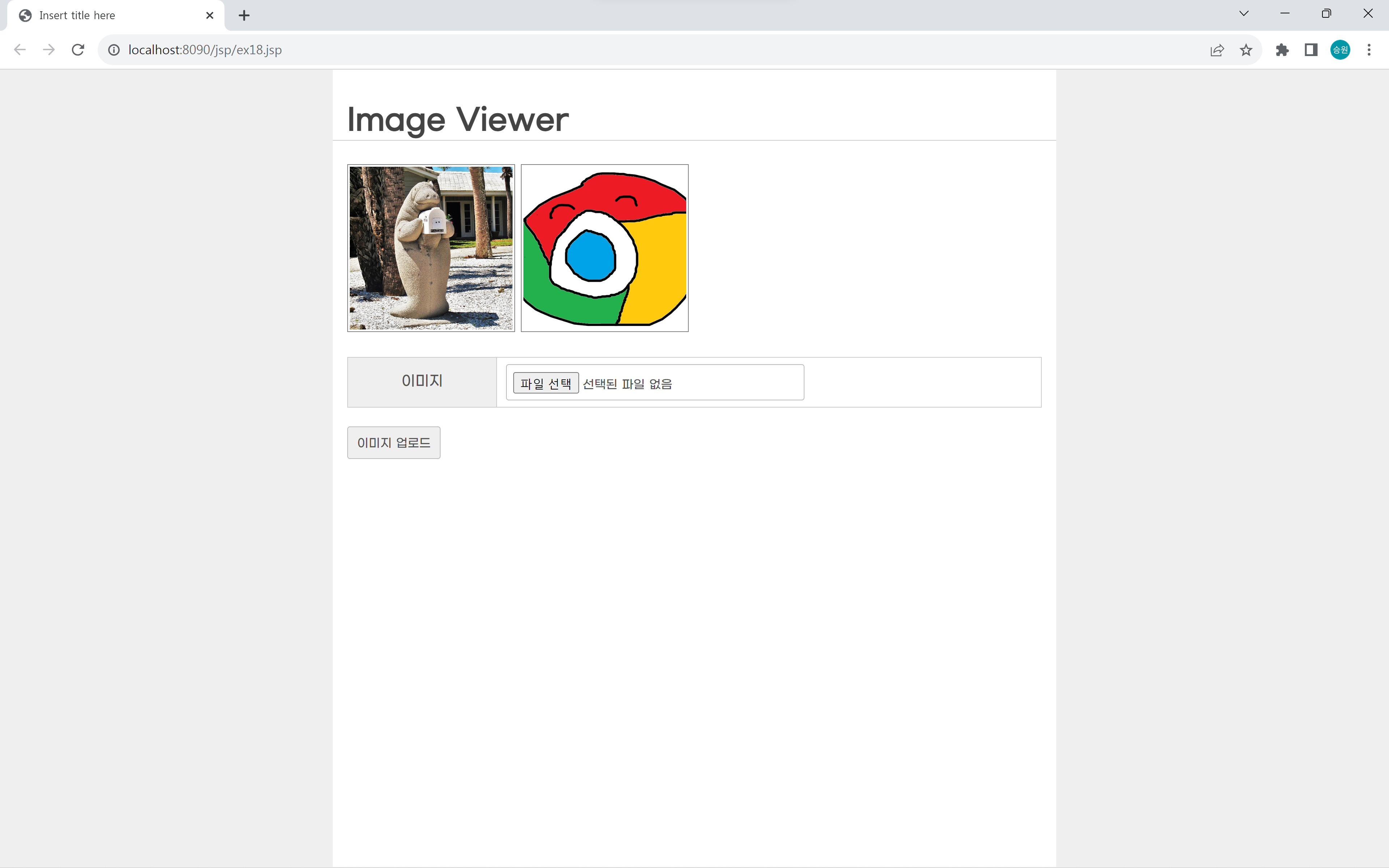
- ex18.jsp: 이미지를 목록보기로 보여주는 뷰어 역할(메인, 목록 보기)
- ex18_ok.jsp: 이미지 업로드 처리
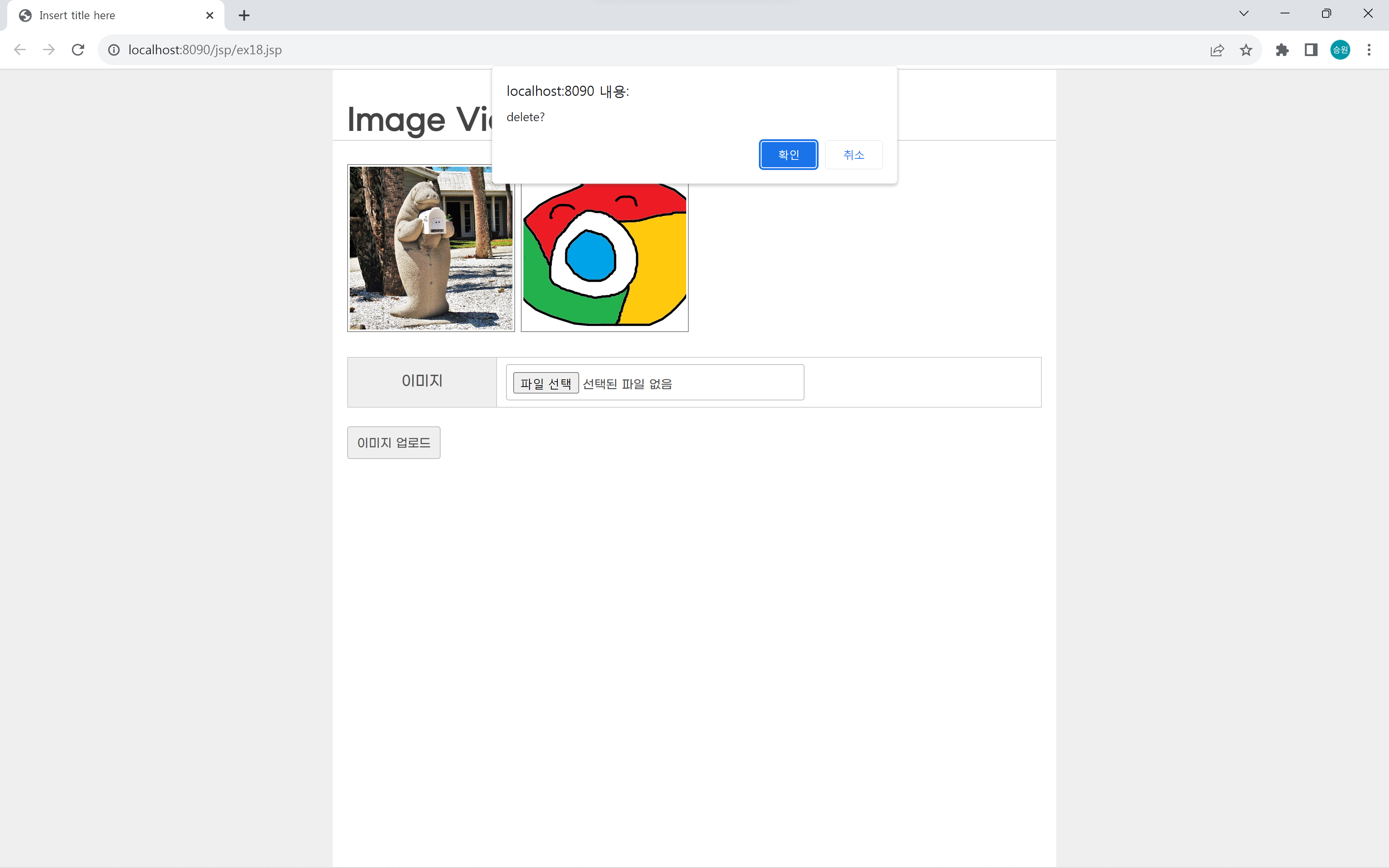
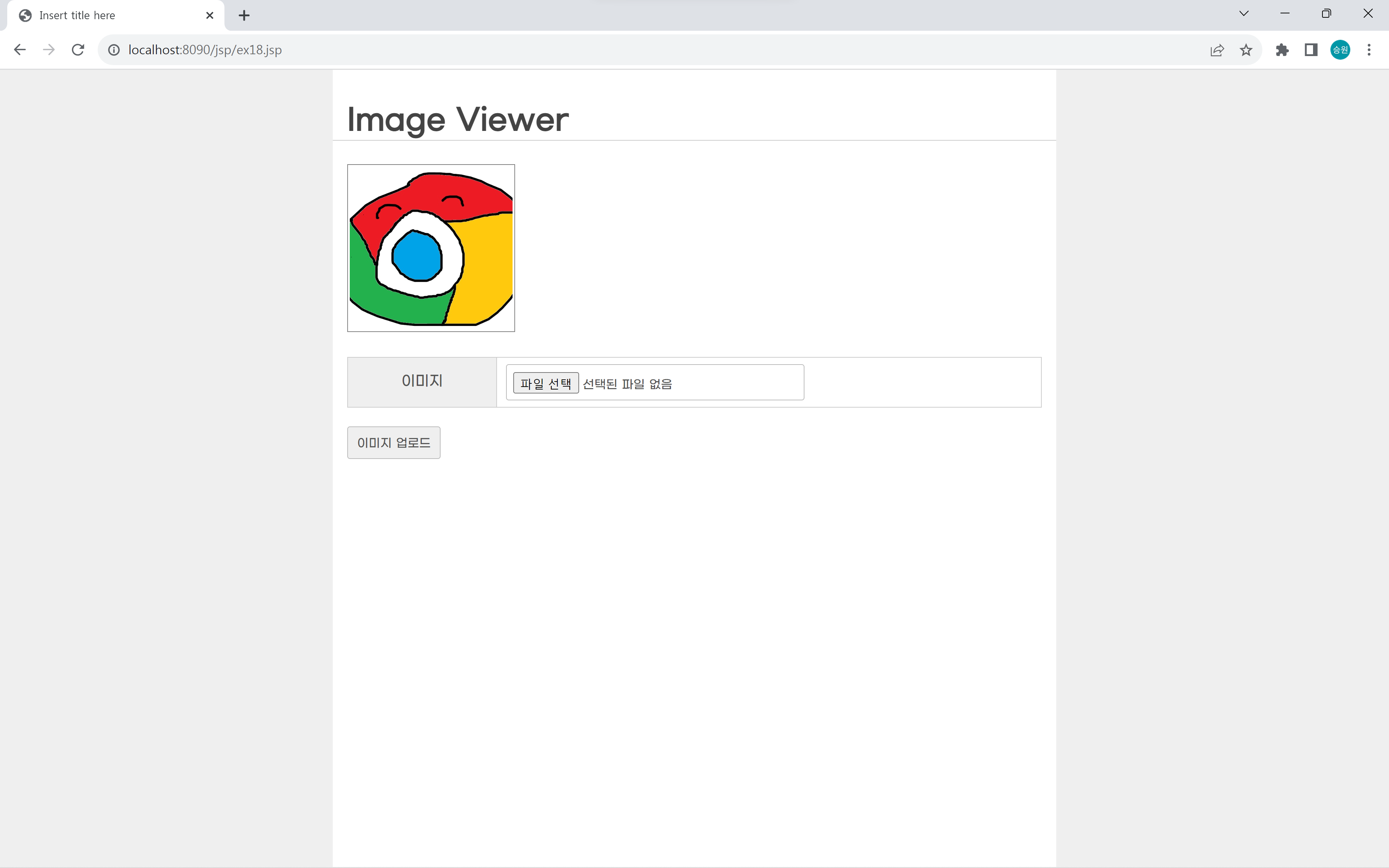
- ex18_del.jsp: 이미지 삭제 처리
webapp에 "pic" 폴더를 생성했다.
ex18.jsp
<%@page import="java.util.Arrays"%>
<%@page import="java.io.File"%>
<%@ page language="java" contentType="text/html; charset=UTF-8"
pageEncoding="UTF-8"%>
<%
//디렉토리 탐색
String path = application.getRealPath("/pic");
File dir = new File(path);
File[] list = dir.listFiles();
/* System.out.println(list[0].getName()); */
/*
Arrays.sort(list, new Comparator<File>() {
public int compare(File o1, File o2) {
return o1.getName().equals(o2.getName());
}
});
*/
Arrays.sort(list, (o1, o2) -> o2.getName().compareTo(o1.getName()));
%>
<!DOCTYPE html>
<html>
<head>
<meta charset="UTF-8">
<title>Insert title here</title>
<link rel="stylesheet" href="http://pinnpublic.dothome.co.kr/cdn/example-min.css">
<style>
#list {
display: grid;
grid-template-columns: 1fr 1fr 1fr 1fr;
}
#list > .item {
position: relative;
left: 0;
top: 0;
}
#list > .item > img {
width: 180px;
height: 180px;
object-fit: cover;
border: 1px solid gray;
padding: 2px;
}
#list > .item > div:last-child {
position: absolute;
right: 20px;
top: 3px;
font-size: 1.5rem;
text-shadow: 0px 0px 1px #FFF;
display: none;
cursor: pointer;
}
#list > .item:hover > div:last-child {
display: block;
}
</style>
</head>
<body>
<h1>Image Viewer</h1>
<div id="list">
<% for (File file : list) { %>
<div class="item">
<img src="pic/<%= file.getName() %>">
<div title="delete" onclick="deleteImage('<%= file.getName() %>');">×</div>
</div>
<% } %>
</div>
<form method="POST" action="ex18_ok.jsp" enctype="multipart/form-data">
<table class="vertical">
<tr>
<th>이미지</th>
<td><input type="file" name="attach" required></td>
</tr>
</table>
<div>
<input type="submit" value="이미지 업로드">
</div>
</form>
<script src="https://code.jquery.com/jquery-1.12.4.js"></script>
<script src="http://pinnpublic.dothome.co.kr/cdn/example-min.js"></script>
<script>
function deleteImage(filename) {
if (confirm('delete?')) {
location.href = 'ex18_del.jsp?filename=' + filename;
}
}
</script>
</body>
</html>
ex18_ok.jsp
<%@page import="java.io.File"%>
<%@page import="com.oreilly.servlet.multipart.DefaultFileRenamePolicy"%>
<%@page import="com.oreilly.servlet.MultipartRequest"%>
<%@ page language="java" contentType="text/html; charset=UTF-8"
    pageEncoding="UTF-8"%>
<%
	String path = application.getRealPath("/pic");

	int size = 1024 * 1024 * 100;

	/* System.out.println(path); */

	try {
		MultipartRequest multi = new MultipartRequest(
				request,
				path,
				size,
				"UTF-8",
				new DefaultFileRenamePolicy()
			);
	} catch (Exception e) {
		e.printStackTrace();
	}

	response.sendRedirect("ex18.jsp");
%>
<!DOCTYPE html>
<html>
<head>
<meta charset="UTF-8">
<title>Insert title here</title>
<link rel="stylesheet" href="http://pinnpublic.dothome.co.kr/cdn/example-min.css">
</head>
<body>
	<script src="https://code.jquery.com/jquery-1.12.4.js"></script>
	<script src="http://pinnpublic.dothome.co.kr/cdn/example-min.js"></script>
</body>
</html>
ex18_del.jsp
<%@page import="java.io.File"%>
<%@ page language="java" contentType="text/html; charset=UTF-8"
    pageEncoding="UTF-8"%>
<%
   String filename = request.getParameter("filename");

   //file.delete()

   String path = application.getRealPath("/pic");

   File file = new File(path + "\\" + filename);

   if(file.exists()){
      file.delete();
   }

   response.sendRedirect("ex18.jsp");
%>
<!DOCTYPE html>
<html>
<head>
<meta charset="UTF-8">
<title>Insert title here</title>
<link rel="stylesheet" href="http://pinnpublic.dothome.co.kr/cdn/example-min.css">
</head>
<body>
   <script src="https://code.jquery.com/jquery-1.12.4.js"></script>
   <script src="http://pinnpublic.dothome.co.kr/cdn/example-min.js"></script>
</body>
</html>