Archive/Coding Challenges
[JavaScript] Requirements Q19~27: DOM
Isaac S. Lee
2023. 10. 12. 17:32
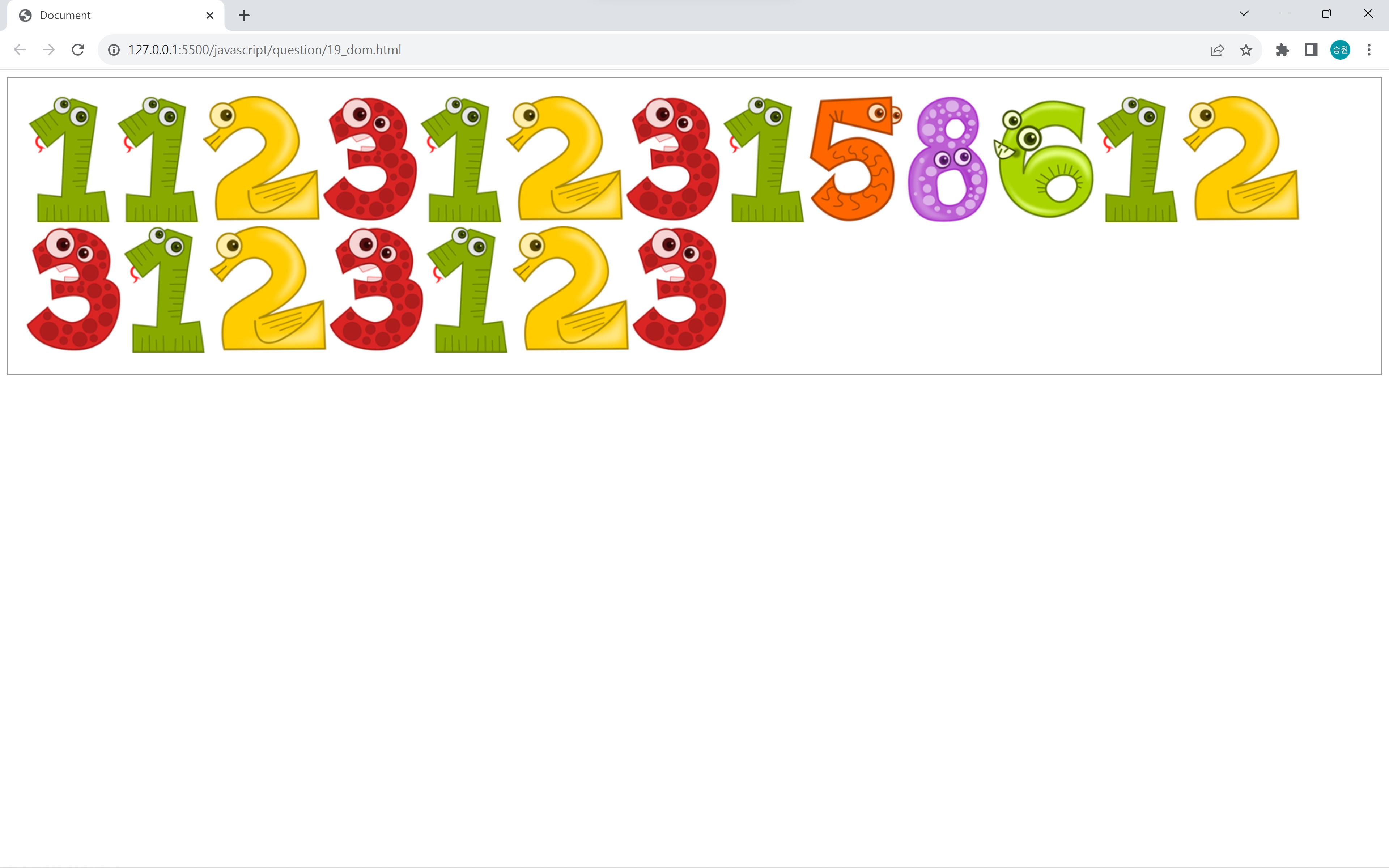
📌Requirements Q19: 숫자 입력
<!DOCTYPE html>
<html lang="en">
<head>
    <meta charset="UTF-8">
    <meta http-equiv="X-UA-Compatible" content="IE=edge">
    <meta name="viewport" content="width=device-width, initial-scale=1.0">
    <script src="https://kit.fontawesome.com/7121714adf.js" crossorigin="anonymous"></script>
    <link rel="stylesheet" href="../asset/question.css">
    <title>Document</title>
    <style>
        #place {
            border: 1px solid #999;
            padding: 20px;
            min-height: 146px;
        }
    </style>
</head>

<body oncontextmenu='return false' ondragstart='return false' onselectstart='return false'>

    <!--
    숫자키를 누르면 하단의 박스(div)안에 이미지를 생성하시오.
    상단 숫자키 사용 가능
    우측 숫자키패드 사용 가능
    -->

    <div id="place"></div>

    <script>
        var place = document.getElementById("place");

        window.onkeydown = function () {
            if (event.keyCode >= 48 && event.keyCode <= 57) {
                place.innerHTML += "<img src='../../asset/images/" + (event.keyCode - 48) + ".png'>";
            } else if (event.keyCode >= 96 && event.keyCode <= 105) {
                place.innerHTML += "<img src='../../asset/images/" + (event.keyCode - 96) + ".png'>";
            }
        };
    </script>
</body>
</html>
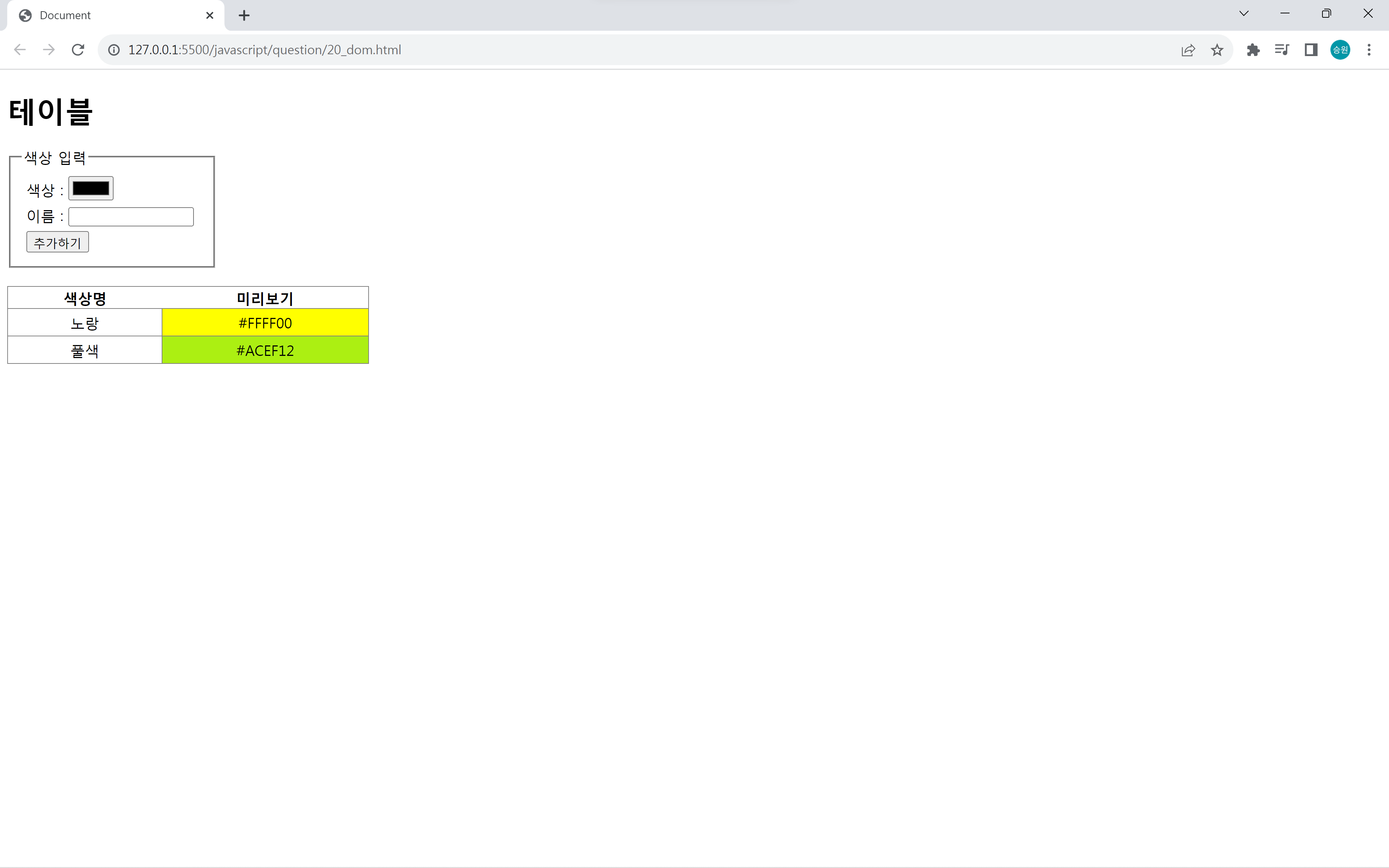
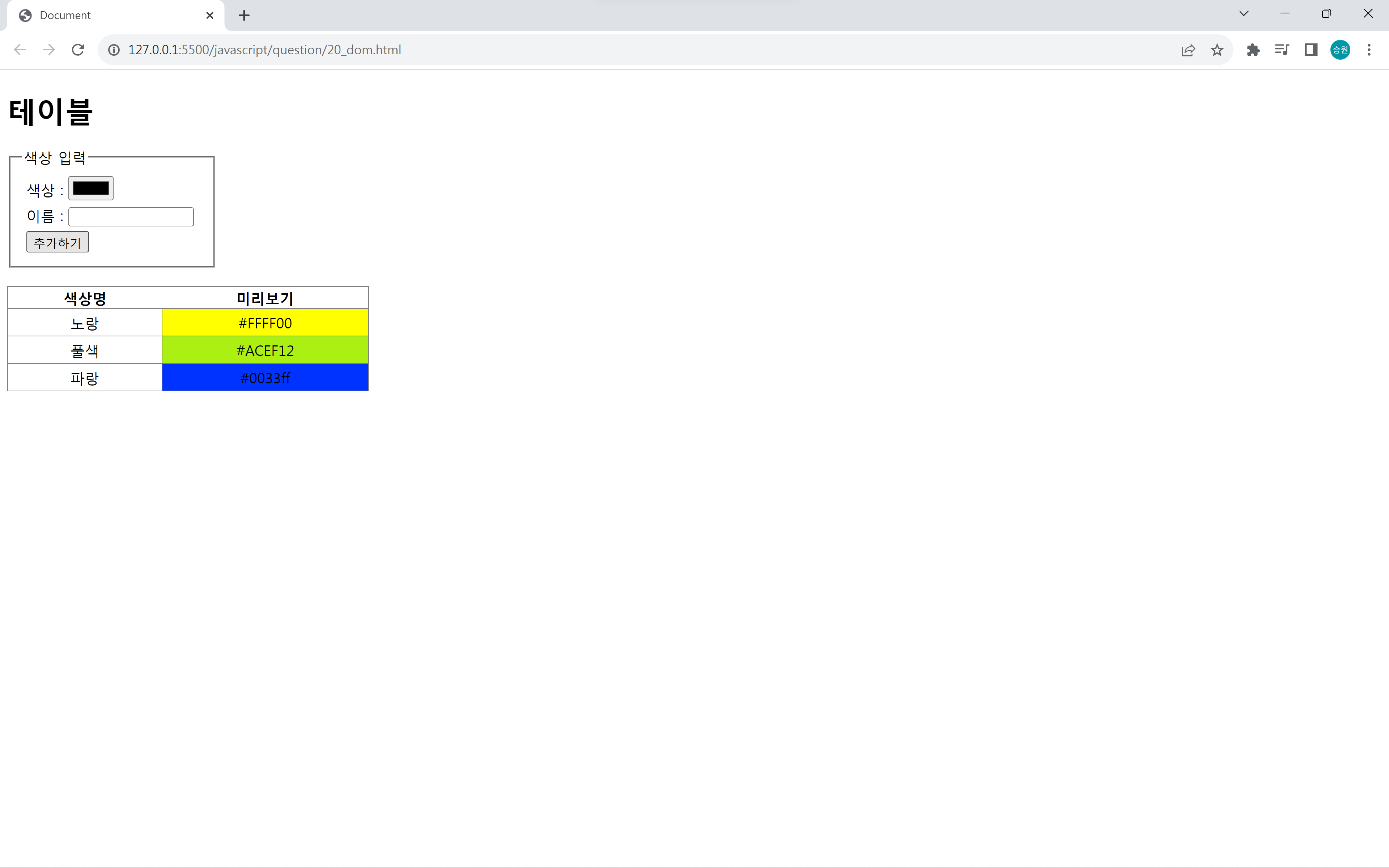
📌Requirements Q20: 색상 추가
<!DOCTYPE html>
<html lang="en">
<head>
   <meta charset="UTF-8">
   <meta http-equiv="X-UA-Compatible" content="IE=edge">
   <meta name="viewport" content="width=device-width, initial-scale=1.0">
   <script src="https://kit.fontawesome.com/7121714adf.js" crossorigin="anonymous"></script>
   <link rel="stylesheet" href="../asset/question.css">
   <title>Document</title>
	<style>
		fieldset { width: 200px; }
		fieldset > div { margin: 5px; }
		#tbl1 { border: 1px solid gray; border-collapse: collapse; margin-top: 20px; width: 400px; }
		#tbl1 td { border: 1px solid gray; padding: 4px 10px; text-align: center;}
		#tbl1 td:nth-child(1) { width: 150px; }
	</style>
</head>
<body>
    <!-- 색상과 이름을 입력하면 테이블에 추가하시오. -->

	<h1>테이블</h1>

	<fieldset>
		<legend>색상 입력</legend>
		<div><label>색상 : </label><input type="color" id="txtColor"></div>
		<div><label>이름 : </label><input type="text" id="txtName" size="15"></div>
		<div><input type="button" value="추가하기" id="btnAdd"></div>
	</fieldset>

	<table id="tbl1">
		<thead>
			<tr>
				<th>색상명</th>
				<th>미리보기</th>
			</tr>
		</thead>
		<tbody id="tbody1">
			<tr>
				<td>노랑</td>
				<td bgColor="#FFFF00">#FFFF00</td>
			</tr>
			<tr>
				<td>풀색</td>
				<td bgColor="#ACEF12">#ACEF12</td>
			</tr>
		</tbody>
	</table>

	<script>
		var txtColor = document.getElementById("txtColor");
		var txtName = document.getElementById("txtName");
		var btnAdd = document.getElementById("btnAdd");
		var tbody1 = document.getElementById("tbody1");

		btnAdd.onclick = function() {
			var row = "<tr>";
			row += "<td>";
			row += txtName.value;
			row += "</td>";
			row += "<td bgColor='" + txtColor.value + "'>";
			row += txtColor.value;
			row += "</td>";
			row += "</tr>";

			tbody1.innerHTML += row;

			//색 추가뒤에 입력 양식을 초기화
			txtColor.value = "#000";
			txtName.value = "";x
		};

		txtColor.onchange = function() {
			txtName.focus();
		};

		txtName.onkeydown = function() {
			if (event.keyCode == 13) {
				btnAdd.click(); //버튼 클릭 / 에뮬레이터 함수
			}
		};
	</script>
</body>
</html>
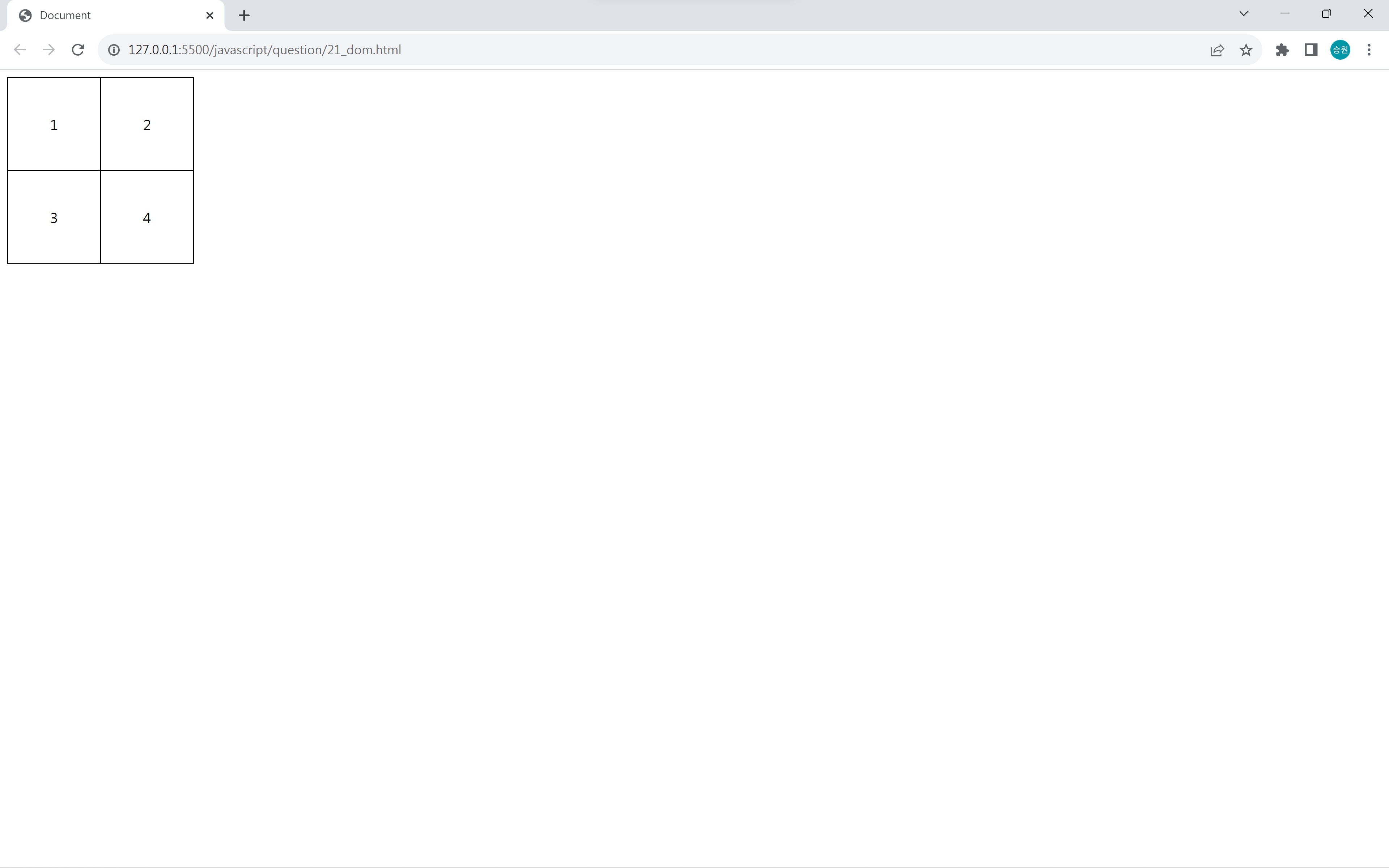
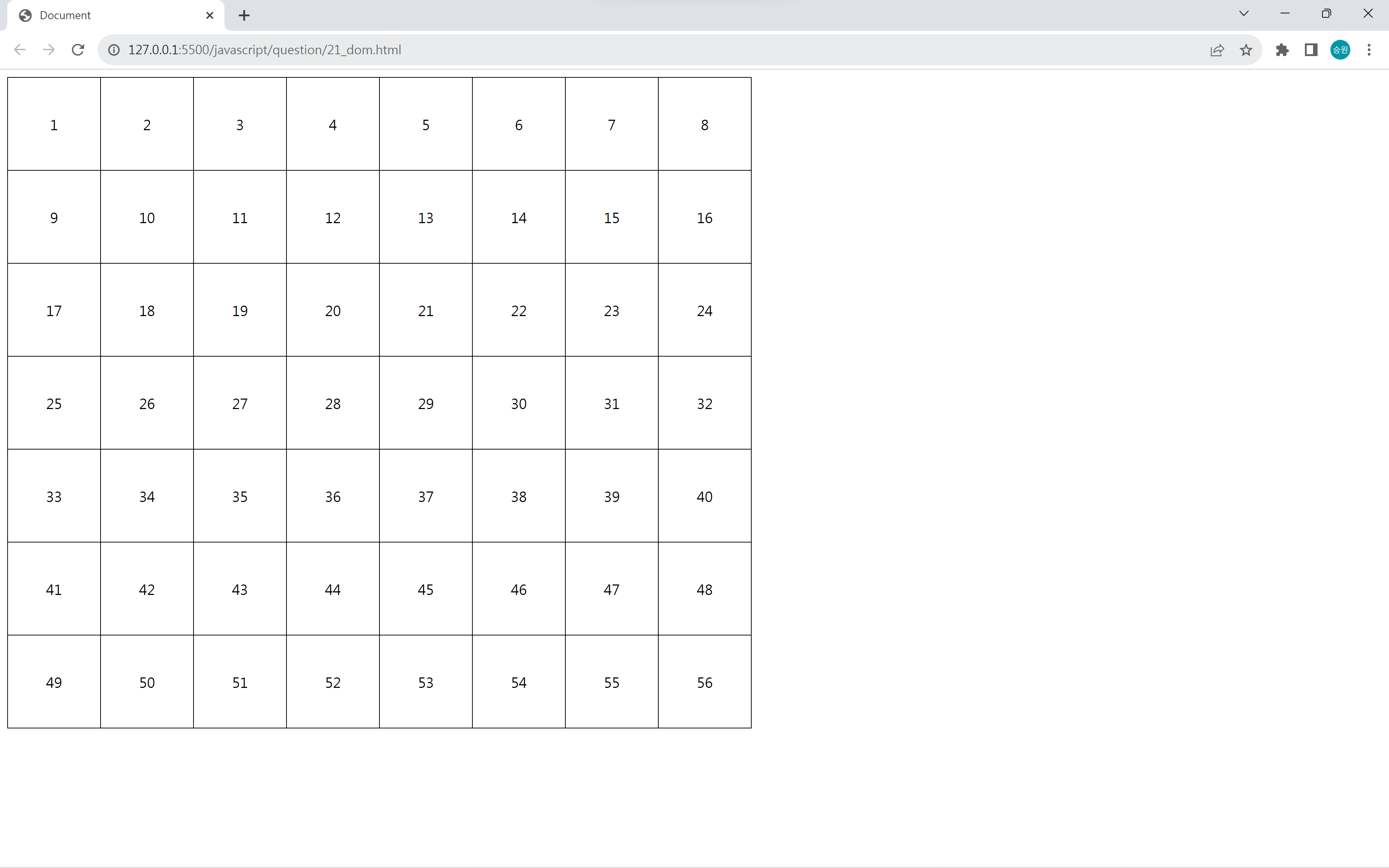
📌Requirements Q21: 행렬 조작
<!DOCTYPE html>
<html lang="en">
<head>
	<meta charset="UTF-8">
	<meta http-equiv="X-UA-Compatible" content="IE=edge">
	<meta name="viewport" content="width=device-width, initial-scale=1.0">
	<script src="https://kit.fontawesome.com/7121714adf.js" crossorigin="anonymous"></script>
	<link rel="stylesheet" href="../asset/question.css">
	<title>Document</title>
	<style>
		#tbl, #tbl td {
			border: 1px solid black;
			border-collapse: collapse;
		}

		#tbl td {
			width: 100px;
			height: 100px;
			text-align: center;
		}
	</style>
</head>
<body oncontextmenu='return false' ondragstart='return false' onselectstart='return false'>

	<!--
    방향키 조작에 따라 테이블을 행/열을 조작하시오.
    좌우 : 열 추가/삭제
    상하 : 행 추가/삭제
    셀에 숫자를 할당하시오.
    -->

	<table id="tbl" class="table">
		<tbody id="tbody1">
			<tr>
				<td>1</td>
				<td>2</td>
			</tr>
			<tr>
				<td>3</td>
				<td>4</td>
			</tr>
		</tbody>
	</table>

	<script>
		var tbody1 = document.getElementById("tbody1");
		var row = 2;
		var column = 2;
		var no = 0;

		window.onkeydown = function () {
			no = 1;

			if (event.keyCode == 39) {
				//열 증가
				column++;
				generate();
			} else if (event.keyCode == 37) {
				//열 감소
				column--;
				if (column < 1) column = 1;
				generate();
			} else if (event.keyCode == 40) {
				//행 증가
				row++;
				generate();
			} else if (event.keyCode == 38) {
				//행 감소
				row--;
				if (row < 1) row = 1;
				generate();
			}
		};

		function generate() {
			tbody1.innerHTML = "";
			var temp = "";

			for (var i = 0; i < row; i++) {
				temp = "<tr>";
				for (var j = 0; j < column; j++) {
					temp += "<td>";
					temp += no;
					temp += "</td>";
					no++;
				}
				temp += "</tr>";
				tbody1.innerHTML += temp;
			}
		}
	</script>
</body>
</html>
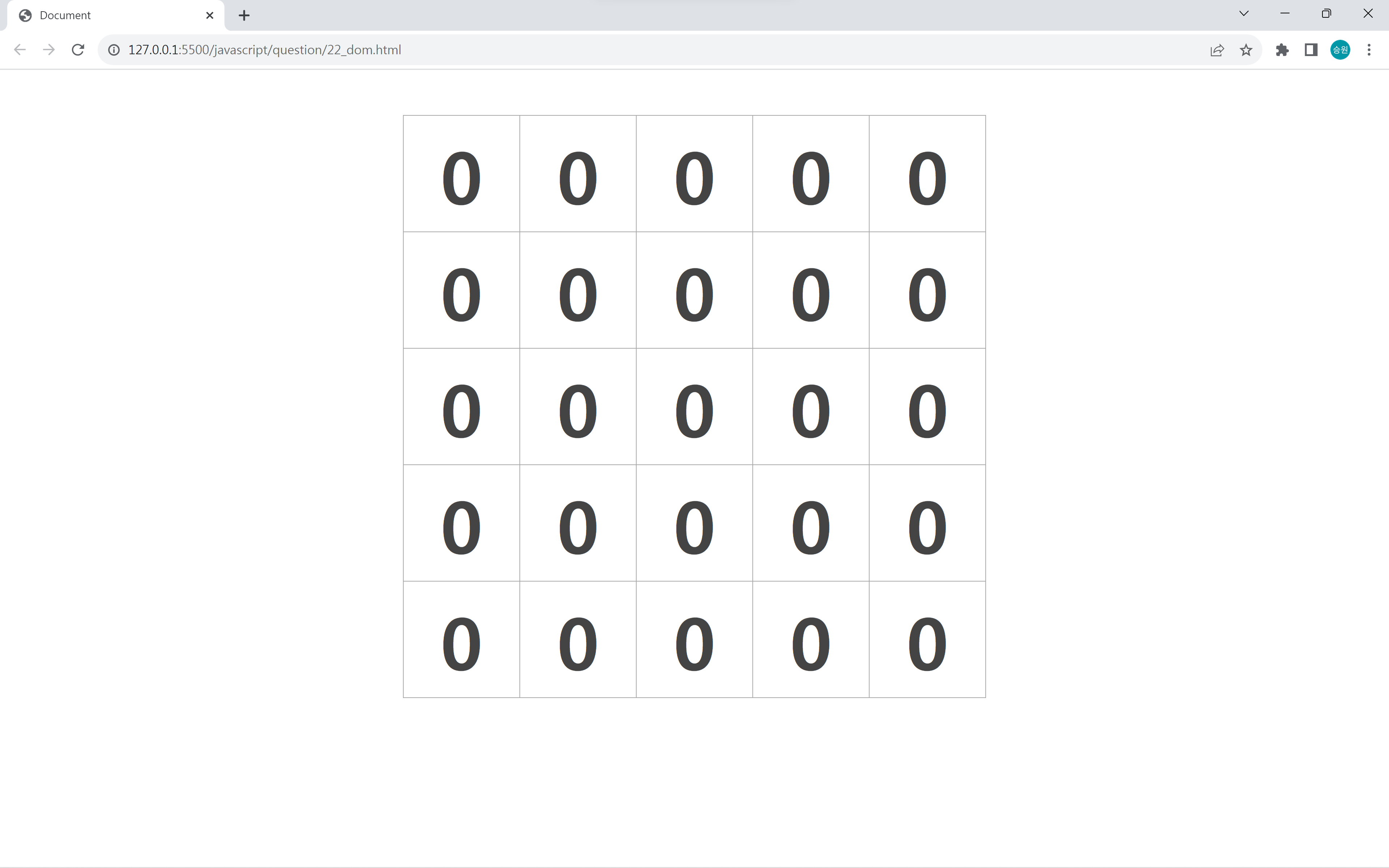
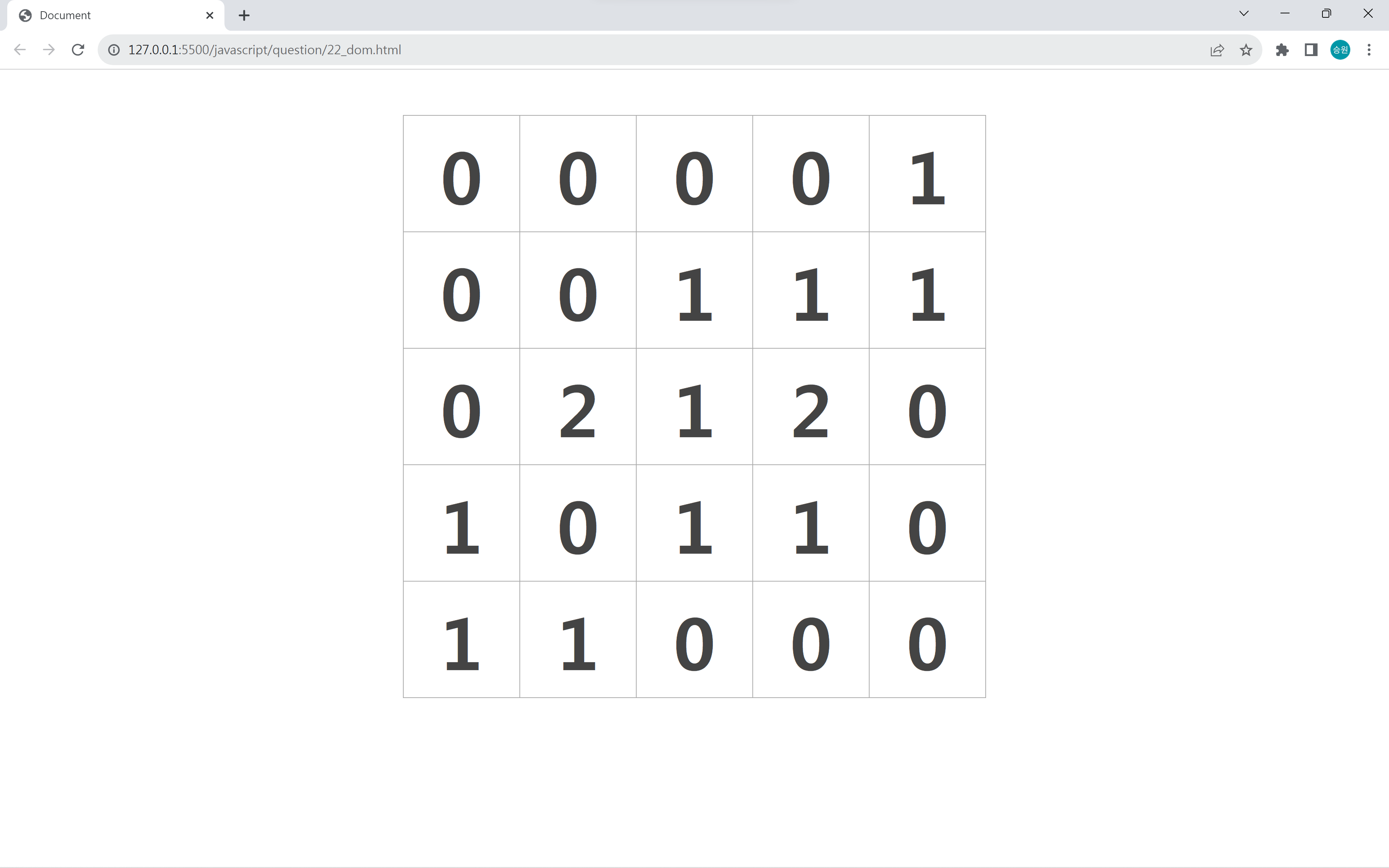
📌Requirements Q22: 카운트 조작
<!DOCTYPE html>
<html lang="en">
<head>
   <meta charset="UTF-8">
   <meta http-equiv="X-UA-Compatible" content="IE=edge">
   <meta name="viewport" content="width=device-width, initial-scale=1.0">
   <script src="https://kit.fontawesome.com/7121714adf.js" crossorigin="anonymous"></script>
   <link rel="stylesheet" href="../asset/question.css">
   <title>Document</title>
   <style>
		#tbl1 {
			border: 1px solid #A9A9A9;
			border-collapse: collapse;
			margin: 50px auto;
		}
		#tbl1 td {
			border: 1px solid #A9A9A9;
			width: 126px;
			height: 126px;
			font-size: 5em;
			font-weight: bold;
			text-align: center;
			cursor: pointer;
			color: #444;
		}
		#tbl1 td img {
			display: block;
		}
	</style>

	<script>
		window.onload = function() {
			var cell = document.getElementsByClassName("cell");

			for (var i=0; i<cell.length; i++) {
				cell[i].onmousedown = function() {
					var c = event.srcElement;
					var n = parseInt(c.innerHTML);

					if (event.buttons == 1) {
						n++;
						c.innerText = n;
						c.bgColor = "white";
					} else if (event.buttons == 2) {
						n--;
						if (n <= 0) {
							n = 0;
							c.bgColor = "#ccc";
							event.srcElement.onmousedown = null;
						}
						c.innerText = n;
					}
				};
			}
		};
	</script>
</head>
<body oncontextmenu='return false' ondragstart='return false' onselectstart='return false'>

    <!--
    모든 셀에 클릭(onmousedown) 이벤트를 추가해 카운트를 조작하시오.
    왼쪽 버튼 : 카운트 증가
    오른쪽 버튼 : 카운트 감소
    오른쪽 버튼을 눌러 0이 되면 클릭 이벤트 사용 중지
    -->

	<table id="tbl1">
		<tr>
			<td class="cell">0</td>
			<td class="cell">0</td>
			<td class="cell">0</td>
			<td class="cell">0</td>
			<td class="cell">0</td>
		</tr>
		<tr>
			<td class="cell">0</td>
			<td class="cell">0</td>
			<td class="cell">0</td>
			<td class="cell">0</td>
			<td class="cell">0</td>
		</tr>
		<tr>
			<td class="cell">0</td>
			<td class="cell">0</td>
			<td class="cell">0</td>
			<td class="cell">0</td>
			<td class="cell">0</td>
		</tr>
		<tr>
			<td class="cell">0</td>
			<td class="cell">0</td>
			<td class="cell">0</td>
			<td class="cell">0</td>
			<td class="cell">0</td>
		</tr>
		<tr>
			<td class="cell">0</td>
			<td class="cell">0</td>
			<td class="cell">0</td>
			<td class="cell">0</td>
			<td class="cell">0</td>
		</tr>
	</table>
</body>
</html>
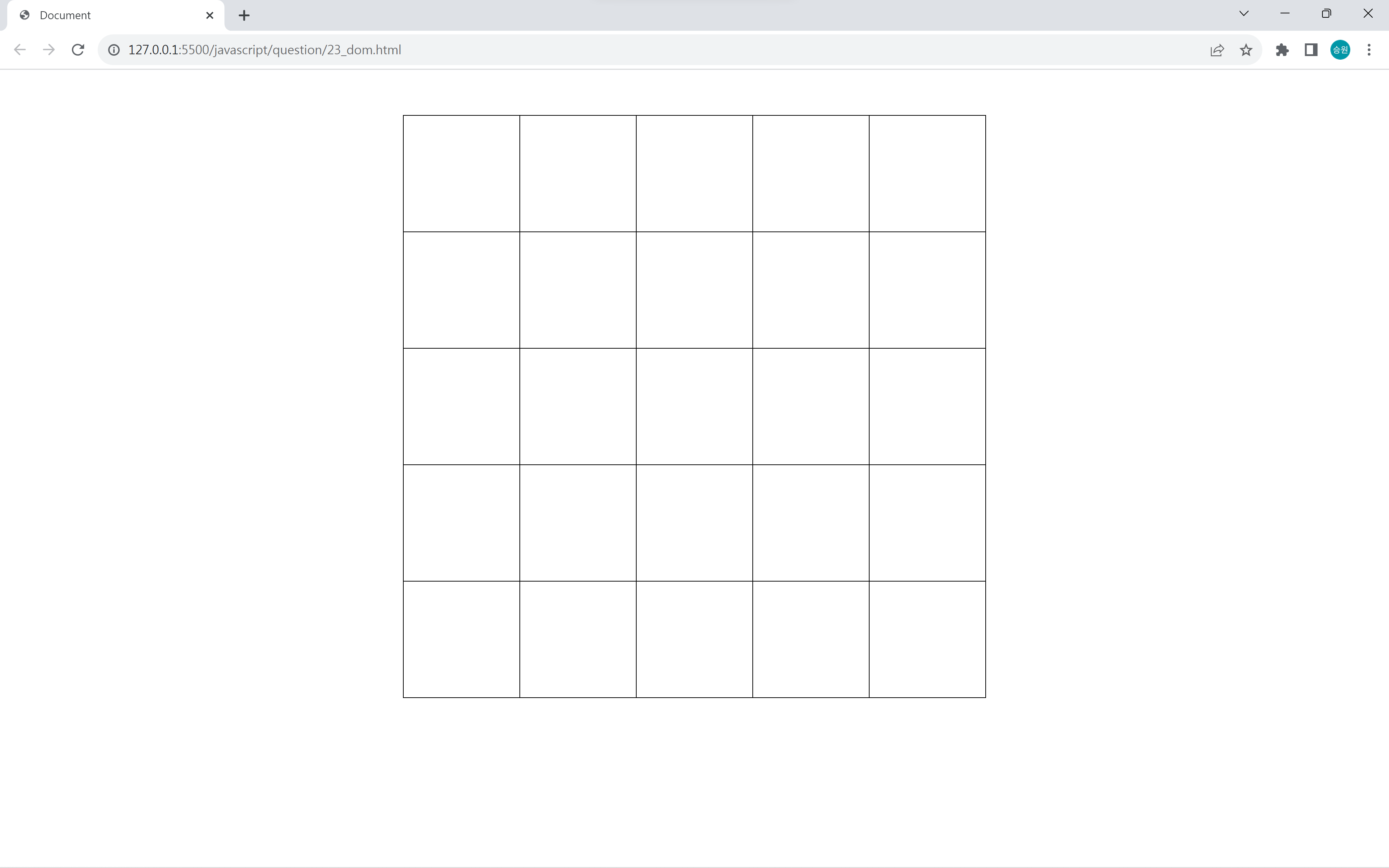
📌Requirements Q23: 이미지 동적 추가
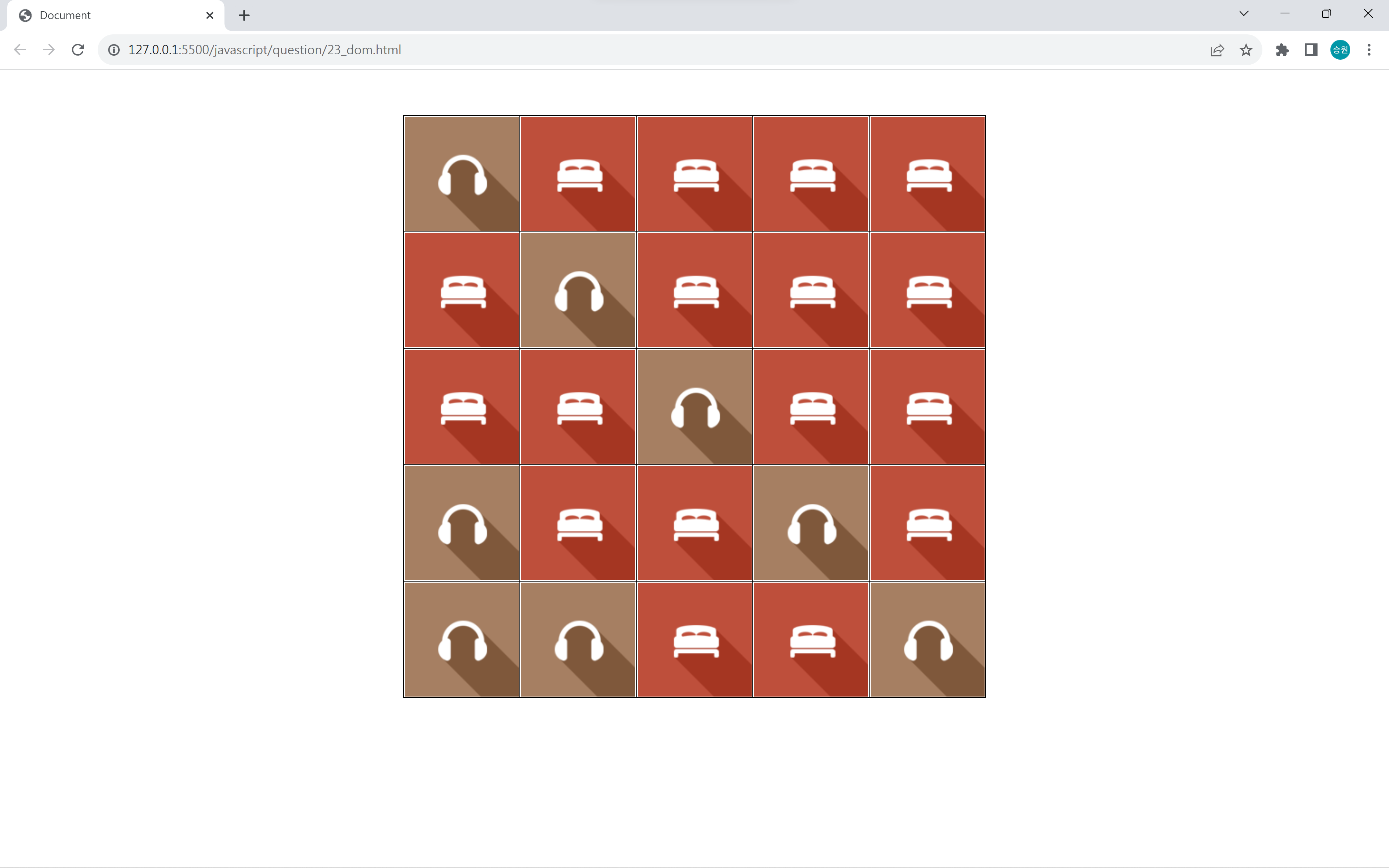
<!DOCTYPE html>
<html lang="en">
<head>
   <meta charset="UTF-8">
   <meta http-equiv="X-UA-Compatible" content="IE=edge">
   <meta name="viewport" content="width=device-width, initial-scale=1.0">
   <script src="https://kit.fontawesome.com/7121714adf.js" crossorigin="anonymous"></script>
   <link rel="stylesheet" href="../asset/question.css">
   <title>Document</title>
   <style>
		#tbl1 {
			border: 1px solid black;
			border-collapse: collapse;
			margin: 50px auto;
		}
		#tbl1 td {
			border: 1px solid black;
			width: 126px;
			height: 126px;
		}
		#tbl1 td img {
			display: block;
		}
	</style>
	<script>
		window.onload = function() {
			var cell = document.getElementsByClassName("cell");

			for (var i=0; i<cell.length; i++) {
				cell[i].onmousedown = function() {

					if (event.buttons == 1) {
						var c = event.srcElement;
						if (c.innerHTML == "") {
							c.innerHTML = "<img src='https://drive.google.com/uc?export=download&id=1s96T2izIFLk42O83PU5X3OiX1d0kgPFG'>";
						}
					} else if (event.buttons == 2) {
						var c = event.srcElement;
						if (c.innerHTML == "") {
							c.innerHTML = "<img src='https://drive.google.com/uc?export=download&id=1pr699y450IgMNTMiqYC1KQulKNZs96Ke'>";
						}
					}
				};
			}
		};
	</script>
</head>
<body oncontextmenu='return false' ondragstart='return false' onselectstart='return false'>

    <!--
    모든 셀에 클릭 이벤트를 추가해 이미지 태그를 동적 추가하시오.
    왼쪽 버튼 : rect_icon01.png 추가
    오른쪽 버튼 : rect_icon02.png 추가
     -->

	<table id="tbl1">
		<tr>
			<td class="cell"></td>
			<td class="cell"></td>
			<td class="cell"></td>
			<td class="cell"></td>
			<td class="cell"></td>
		</tr>
		<tr>
			<td class="cell"></td>
			<td class="cell"></td>
			<td class="cell"></td>
			<td class="cell"></td>
			<td class="cell"></td>
		</tr>
		<tr>
			<td class="cell"></td>
			<td class="cell"></td>
			<td class="cell"></td>
			<td class="cell"></td>
			<td class="cell"></td>
		</tr>
		<tr>
			<td class="cell"></td>
			<td class="cell"></td>
			<td class="cell"></td>
			<td class="cell"></td>
			<td class="cell"></td>
		</tr>
		<tr>
			<td class="cell"></td>
			<td class="cell"></td>
			<td class="cell"></td>
			<td class="cell"></td>
			<td class="cell"></td>
		</tr>
	</table>

	<div style="display: none;">
		<img src='https://drive.google.com/uc?export=download&id=1s96T2izIFLk42O83PU5X3OiX1d0kgPFG'>
		<img src='https://drive.google.com/uc?export=download&id=1pr699y450IgMNTMiqYC1KQulKNZs96Ke'>
	</div>
</body>
</html>
📌Requirements Q24: 방향키 이동
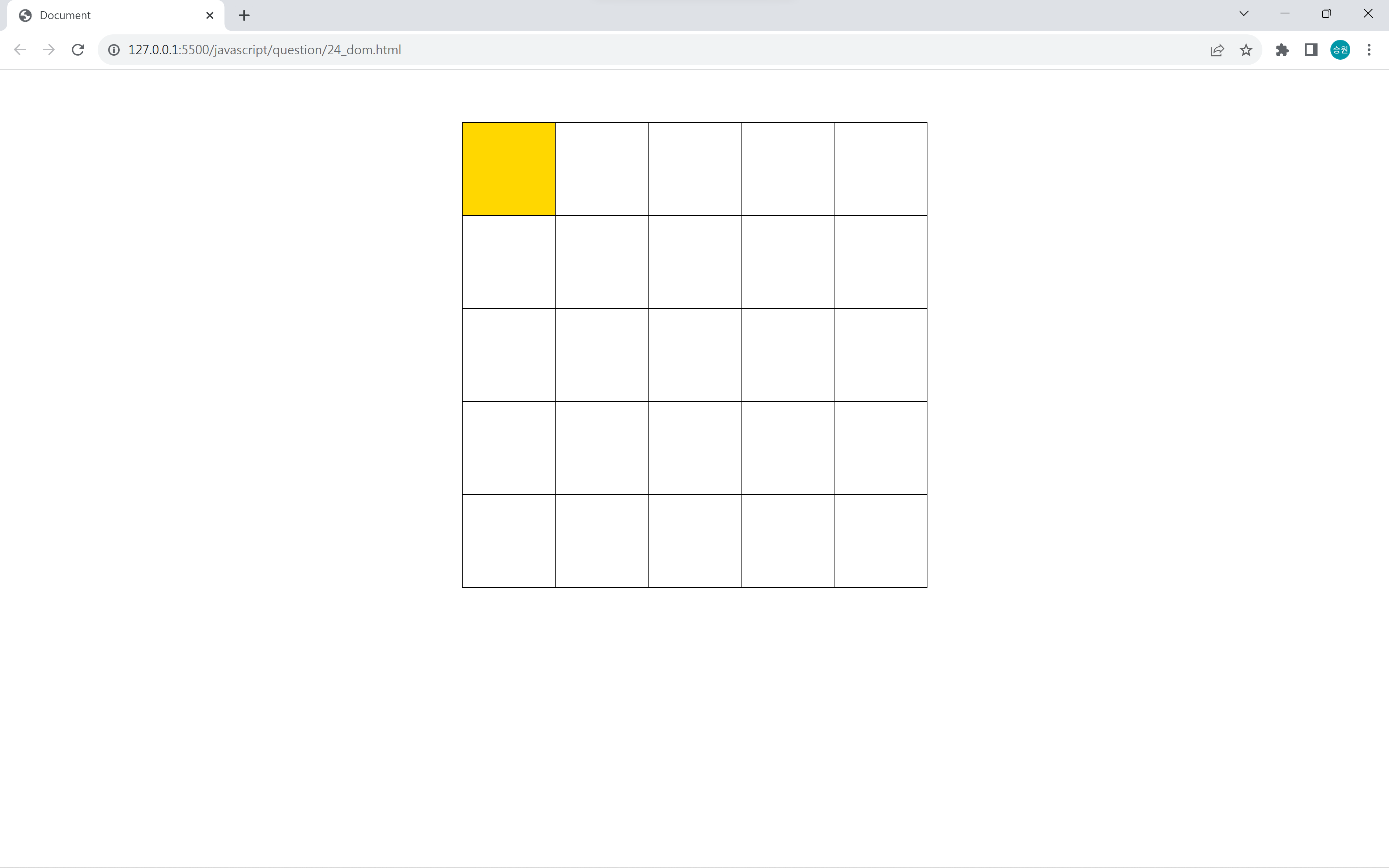
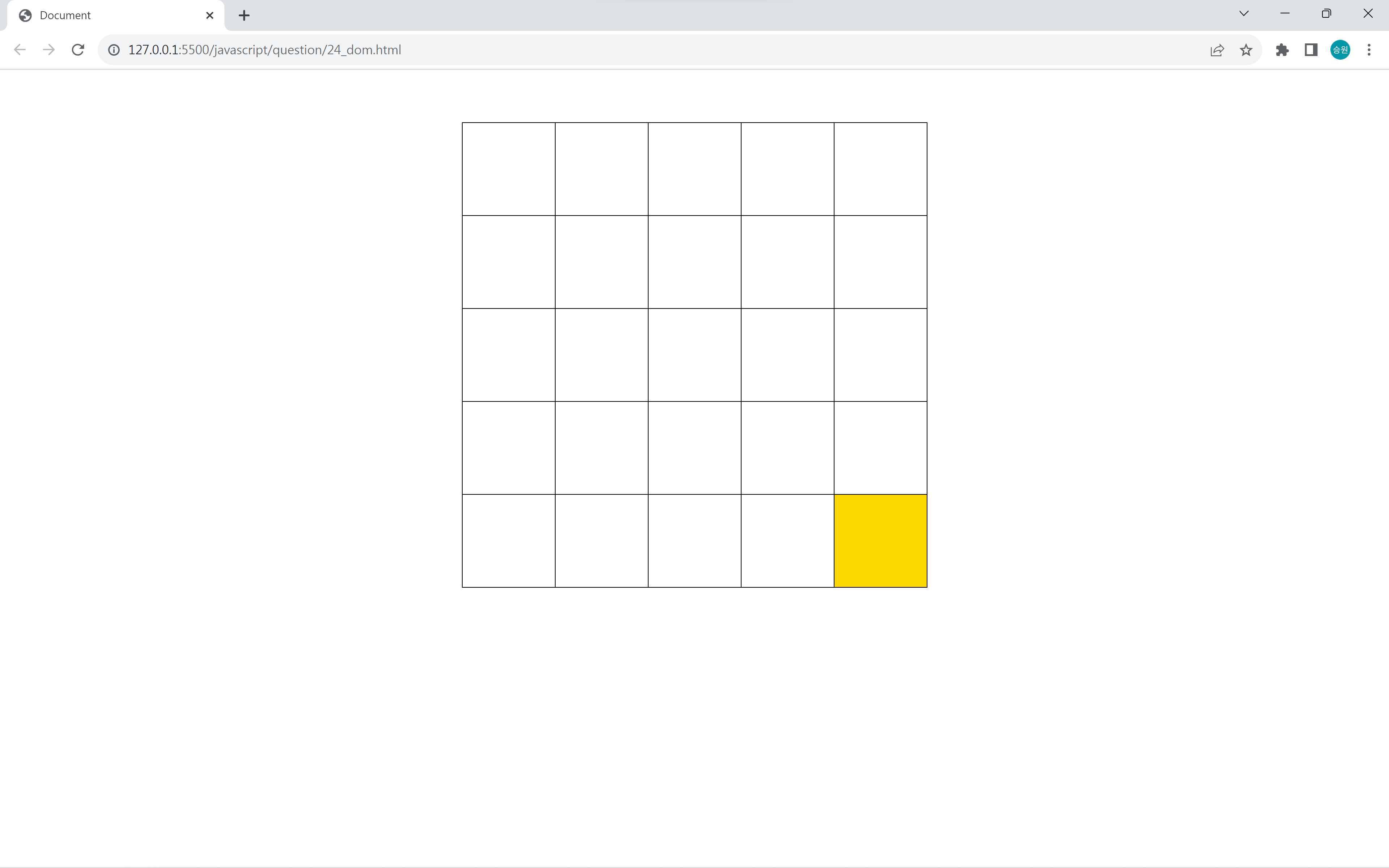
<!DOCTYPE html>
<html lang="en">
<head>
   <meta charset="UTF-8">
   <meta http-equiv="X-UA-Compatible" content="IE=edge">
   <meta name="viewport" content="width=device-width, initial-scale=1.0">
   <script src="https://kit.fontawesome.com/7121714adf.js" crossorigin="anonymous"></script>
   <link rel="stylesheet" href="../asset/question.css">
   <title>Document</title>
   <style>
	   	#tbl1, #tbl1 td {
			border: 1px solid #000;
			border-collapse: collapse;
		}
		#tbl1 td {
			width: 100px;
			height: 100px;
		}

		html, body {
			overflow: hidden;
		}
	</style>

	<script>
		var cell;
		var index = 0;

		window.onload = function() {
			cell = document.getElementsByTagName("td");
			cell[index].bgColor = "gold";
		};

		window.onkeydown = function() {
			console.log(event.keyCode);

			clear();

			if (event.keyCode ==  37) { //좌

				index--;
				if (index < 0 || index % 5 == 4) index++;

			} else if (event.keyCode == 39) { //우

				index++;
				if (index >= cell.length || index % 5 == 0) index--;

			} else if (event.keyCode == 38) { //상

				index-=5;
				if (index < 0) index+=5;

			} else if (event.keyCode == 40) { //하

				index+=5;
				if (index >= cell.length) index-=5;

			}

			cell[index].bgColor = "gold";
		};

		function clear() {
			for (var i=0; i<cell.length; i++) {
				cell[i].bgColor = "transparent";
			}
		}
	</script>
</head>
<body oncontextmenu='return false' ondragstart='return false' onselectstart='return false'>

    <!--
    방향키에 맞춰 활성화된 셀을 이동하시오.
    상,하,좌,우
    -->

	<table id="tbl1" class="table" style="margin: 50px auto;">
		<tr>
			<td></td>
			<td></td>
			<td></td>
			<td></td>
			<td></td>
		</tr>
		<tr>
			<td></td>
			<td></td>
			<td></td>
			<td></td>
			<td></td>
		</tr>
		<tr>
			<td></td>
			<td></td>
			<td></td>
			<td></td>
			<td></td>
		</tr>
		<tr>
			<td></td>
			<td></td>
			<td></td>
			<td></td>
			<td></td>
		</tr>
		<tr>
			<td></td>
			<td></td>
			<td></td>
			<td></td>
			<td></td>
		</tr>
	</table>
</body>
</html>
📌Requirements Q26: 사용자 정보 입력
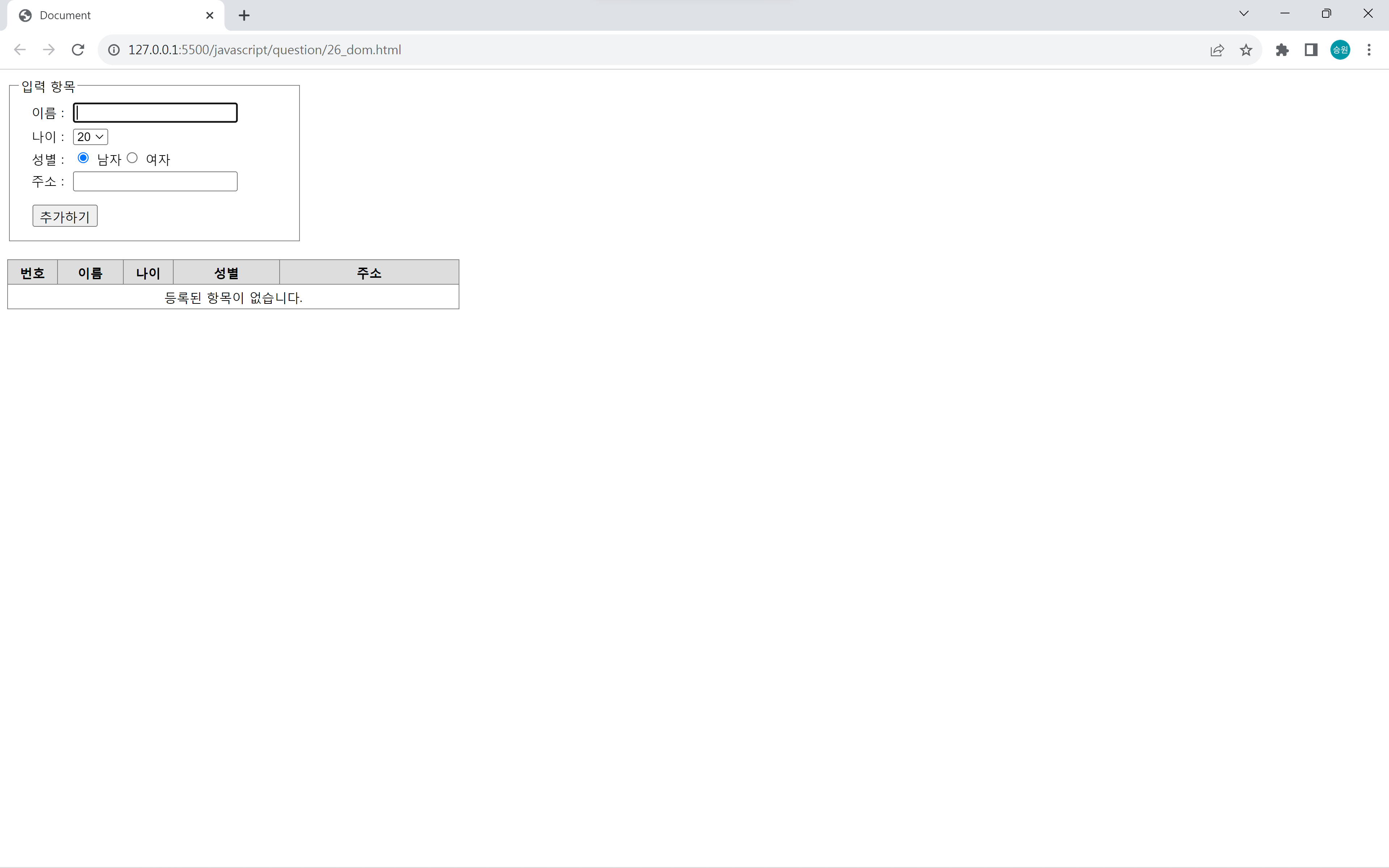
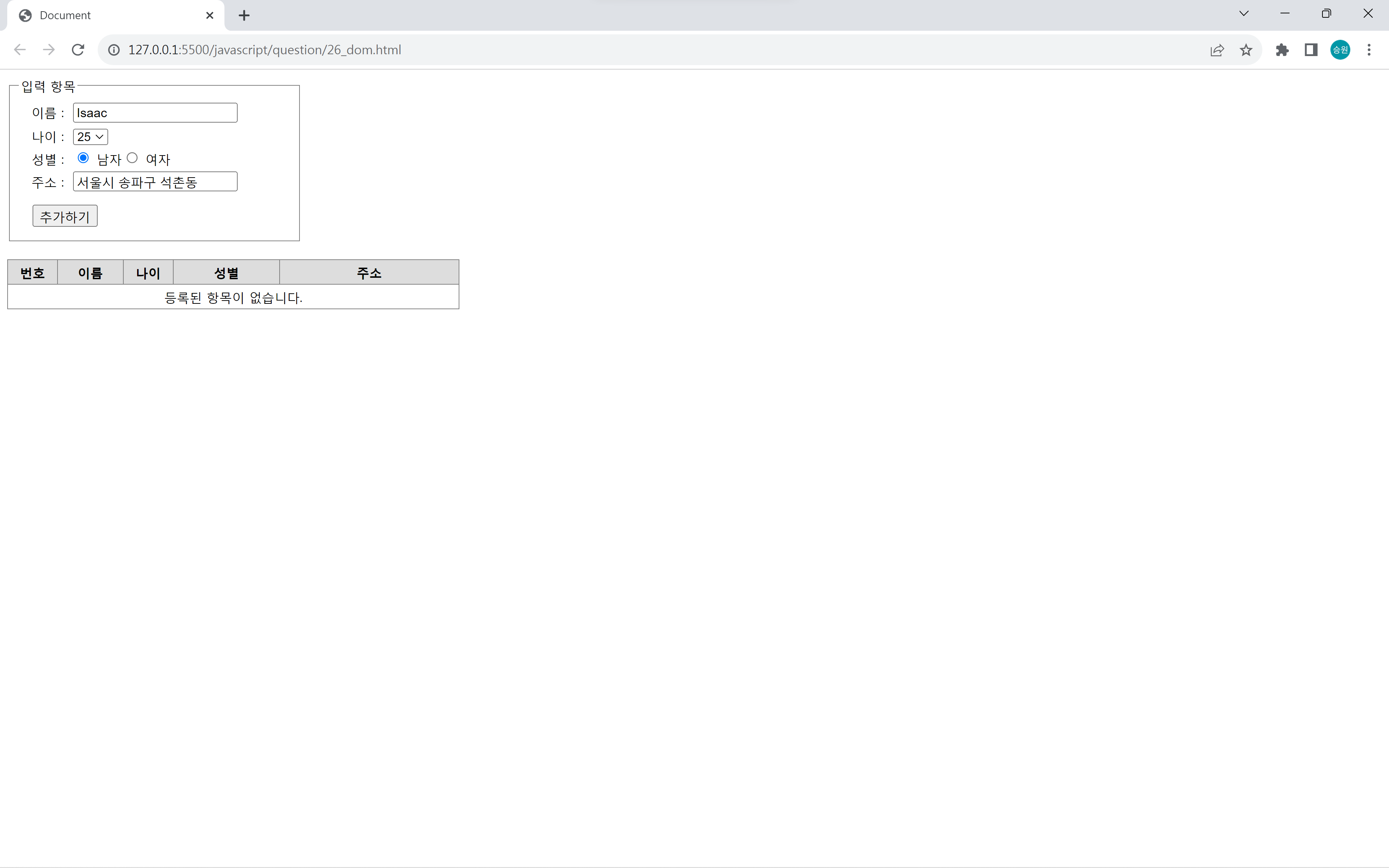
<!DOCTYPE html>
<html lang="en">
<head>
   <meta charset="UTF-8">
   <meta http-equiv="X-UA-Compatible" content="IE=edge">
   <meta name="viewport" content="width=device-width, initial-scale=1.0">
   <script src="https://kit.fontawesome.com/7121714adf.js" crossorigin="anonymous"></script>
   <link rel="stylesheet" href="../asset/question.css">
   <title>Document</title>
   <style>
		div, span, input, th, td, fieldset {
			font-size: 14px;
		}

		#add {
			border: 1px solid gray;
			padding: 10px;
			width: 300px;
		}

		#add > div {
			margin-bottom: 5px;
		}

		#add > div > label:first-child {
			display: inline-block;
			width: 50px;
			text-align: right;
			margin-right: 10px;
		}

		#btnadd {
			margin-top: 10px;
			margin-left: 15px;
		}

		#tbl1 {
			border: 1px solid gray;
			border-collapse: collapse;
			width: 500px;
			margin-top: 20px;
		}

		#tbl1 th {
			background: #ddd;
		}

		#tbl1 th, #tbl1 td {
			border: 1px solid gray;
			padding: 4px;
			text-align: center;
		}
		#tbl1 th:nth-child(1) { width: 50px; }
		#tbl1 th:nth-child(2) { width: 70px; }
		#tbl1 th:nth-child(3) { width: 50px; }
		#tbl1 th:nth-child(4) { width: 120px; }
		#tbl1 th:nth-child(5) { width: 210px; }
	</style>

	<script>
		var txtname, selage, rbgender1, rbgender2, txtaddress, btnadd, tbody1;
		var num = 1;

		window.onload = function() {

			txtname = document.getElementById("txtname");
			selage = document.getElementById("selage");
			rbgender1 = document.getElementById("rbgender1");
			rbgender2 = document.getElementById("rbgender2");
			txtaddress = document.getElementById("txtaddress");
			btnadd = document.getElementById("btnadd");
			tbody1 = document.getElementById("tbody1");

			btnadd.onclick = additem;

			for (var i=20; i<=60; i++) {
				selage.innerHTML += "<option value='" + i + "'>" + i + "</option>";
			}

			txtaddress.onkeydown = function() {
				if (event.keyCode == 13) {
					additem();
				}
			};
		};

		function additem() {
			if (txtname.value == "") {
				txtname.focus();
				return;
			}

			if (txtaddress.value == "") {
				txtaddress.focus();
				return;
			}

			if (tbody1.innerText == "등록된 항목이 없습니다.") {
				tbody1.innerHTML = "";
			}

			var row = "<tr>";

			row += "<td>";
			row += num;
			num++;
			row += "</td>";

			row += "<td>";
			row += txtname.value;
			row += "</td>";

			row += "<td>";
			row += selage.value;
			row += "</td>";

			row += "<td>";
			if (rbgender1.checked) {
				row += "<img src='https://drive.google.com/uc?export=download&id=1pxPAyKXIRZmw-Er8BMvy5fkPSh6ea-uo'>";
			} else {
				row += "<img src='https://drive.google.com/uc?export=download&id=1Nqr6aDPium54TKqa1LKsZWmFPzDEHOfi'>";
			}
			row += "</td>";

			row += "<td>";
			row += txtaddress.value;
			row += "</td>";

			row += "</tr>";

			tbody1.innerHTML += row;

			txtname.value = "";
			selage.selectedIndex = 0;
			rbgender1.checked = true;
			txtaddress.value = "";
			txtname.focus();
		}
	</script>
</head>
<body oncontextmenu='return false' ondragstart='return false' onselectstart='return false'>

    <!-- 사용자 입력을 받아 행을 추가하시오. -->

	<fieldset id="add">
		<legend>입력 항목</legend>
		<div><label for="txtname">이름 : </label><input type="text" id="txtname" autofocus></div>
		<div><label for="selage">나이 : </label><select id="selage"></select></div>
		<div><label for="rbgener">성별 : </label><label><input type="radio" name="rbgender" id="rbgender1" value="m" checked> 남자</label><label><input type="radio" name="rbgender" id="rbgender2" value="f"> 여자</label></div>
		<div><label for="txtaddress">주소 : </label><input type="text" id="txtaddress"></div>
		<div><input type="button" id="btnadd" value="추가하기"></div>
	</fieldset>

	<table id="tbl1">
		<thead>
			<tr>
				<th>번호</th>
				<th>이름</th>
				<th>나이</th>
				<th>성별</th>
				<th>주소</th>
			</tr>
		</thead>
		<tbody id="tbody1">
			<tr>
				<td colspan="5">등록된 항목이 없습니다.</td>
			</tr>
		</tbody>
	</table>

	<div style="display: none;">
		<a href="https://drive.google.com/uc?export=download&id=1h8RmsHlJnc_zbfC4KPx7Ezb9ZyZXoBuA"></a>
		<img src="https://drive.google.com/uc?export=download&id=1pxPAyKXIRZmw-Er8BMvy5fkPSh6ea-uo">
		<img src="https://drive.google.com/uc?export=download&id=1Nqr6aDPium54TKqa1LKsZWmFPzDEHOfi">
	</div>

	<script>
		// document.body.style.zoom = 1.5;
	</script>
</body>
</html>
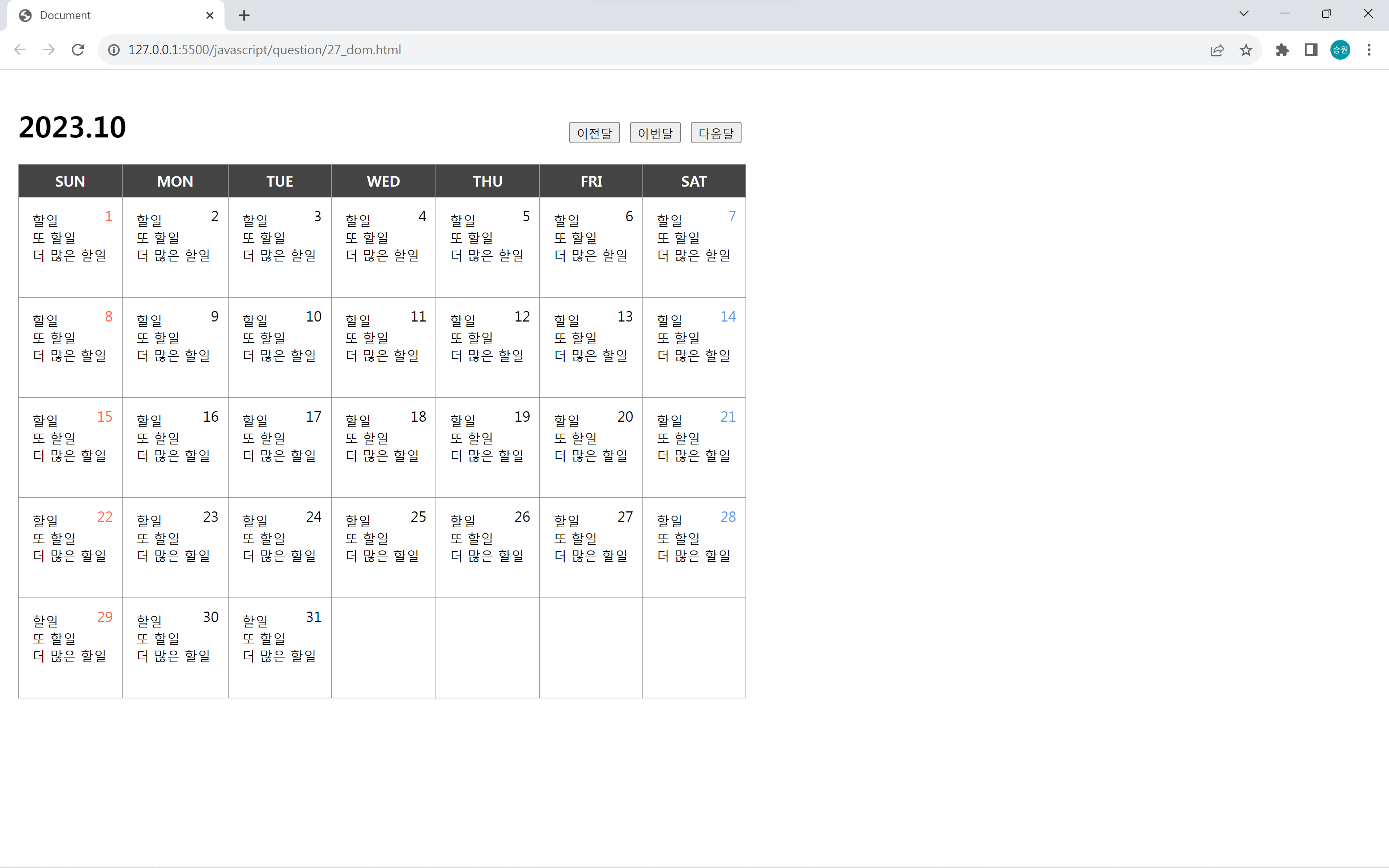
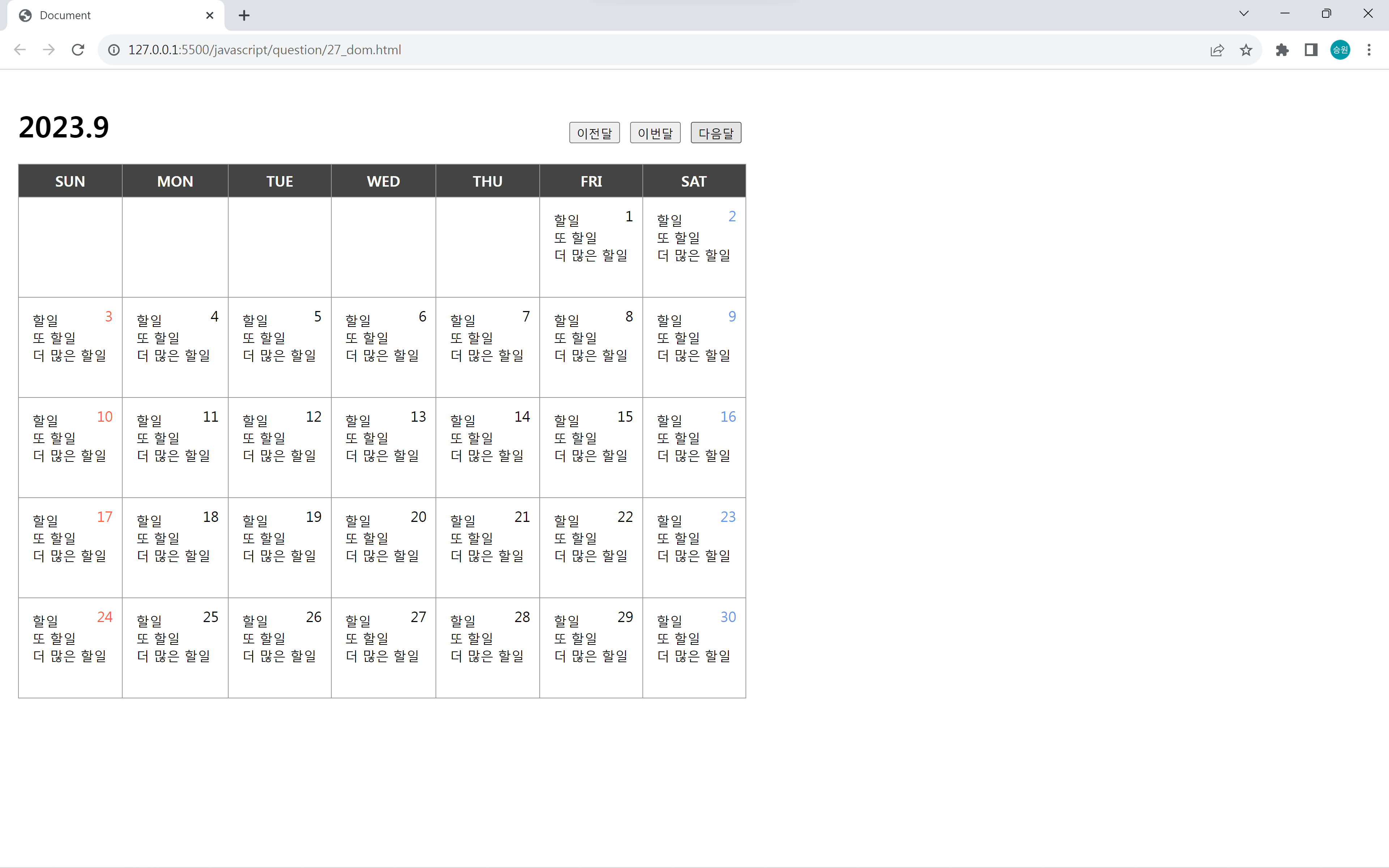
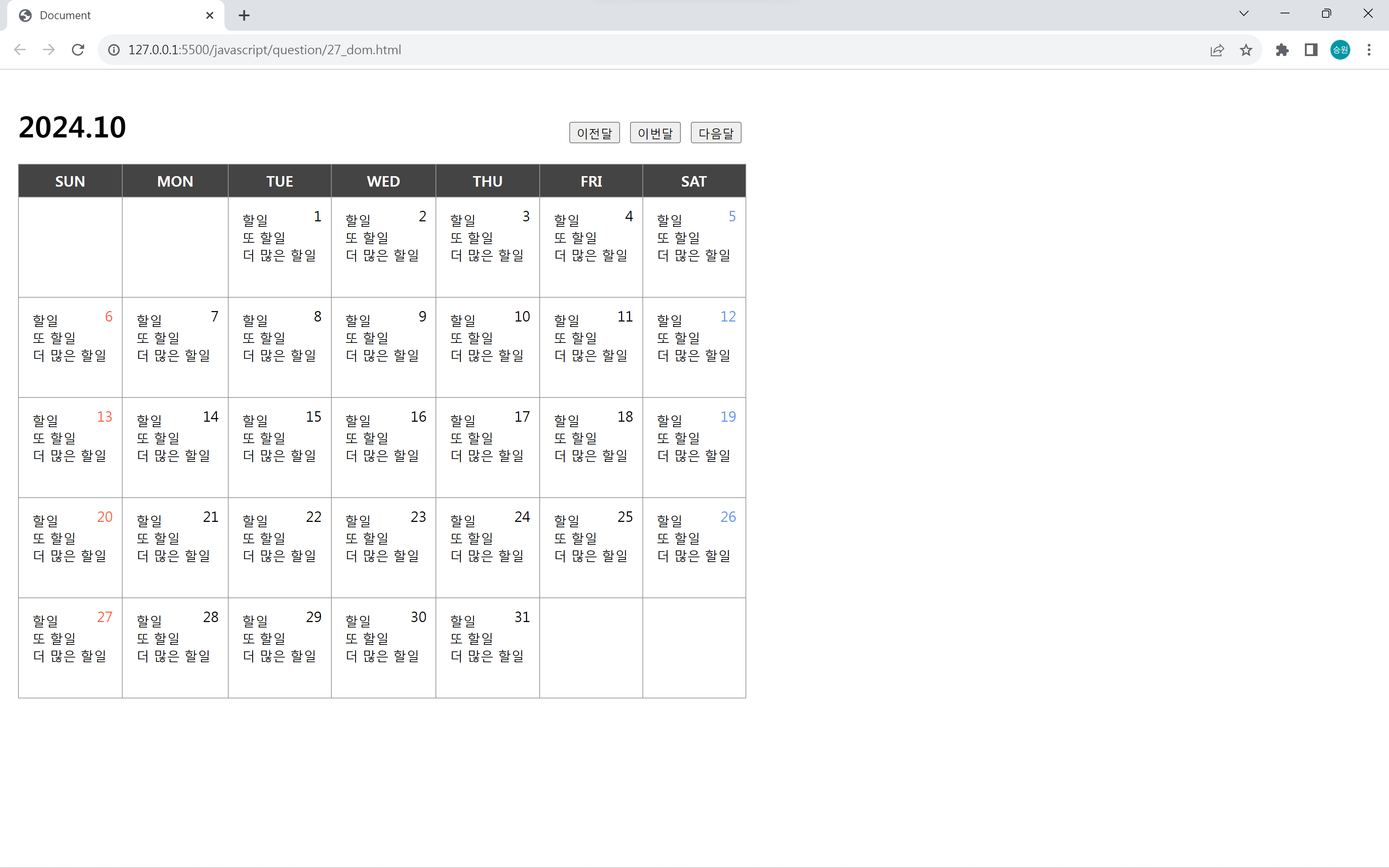
📌Requirements Q27: 달력
<!DOCTYPE html>
<html lang="en">
<head>
   <meta charset="UTF-8">
   <meta http-equiv="X-UA-Compatible" content="IE=edge">
   <meta name="viewport" content="width=device-width, initial-scale=1.0">
   <script src="https://kit.fontawesome.com/7121714adf.js" crossorigin="anonymous"></script>
   <link rel="stylesheet" href="../asset/question.css">
   <title>Document</title>
   <style>
	    body {
			margin: 20px;
			margin-top: 40px;
	    }
		h1 {
			width: 800px;
			display: flex;
			justify-content: space-between;
		}
		#tbl {
			border: 1px solid #999;
			border-collapse: collapse;
			width: 805px;
		}
		#tbl th, #tbl td {
			border: 1px solid #999;
		}
		#tbl th {
			background-color: #444;
			color: white;
			padding: 7px;
		}
		#tbl td {
			height: 80px;
			width: 115px;
			vertical-align: top;
			padding: 15px;
			position: relative;
		}
		#tbl .no {
			position: absolute;
			right: 10px;
			top: 9px;
		}
		#tbl td div {
			font-size: .9em;
		}
		#tbl td:first-child .no {
			color: tomato;
		}
		#tbl td:last-child .no {
			color: cornflowerblue;
		}
	</style>
</head>

<body oncontextmenu='return false' ondragstart='return false' onselectstart='return false'>

    <!-- 달력을 구현하시오. -->

	<h1>
		<div id="title"></div>
		<div>
			<button id="btnprev">이전달</button>
			<button id="btnnow">이번달</button>
			<button id="btnnext">다음달</button>
		</div>
	</h1>

	<table id="tbl">
		<thead>
			<tr>
				<th>SUN</th>
				<th>MON</th>
				<th>TUE</th>
				<th>WED</th>
				<th>THU</th>
				<th>FRI</th>
				<th>SAT</th>
			</tr>
		</thead>
		<tbody id='tbody1'></tbody>
	</table>

	<script>
		var title = document.getElementById("title");
		var tbody1 = document.getElementById("tbody1");

		var year;
		var month;

		var now = new Date();
		year = now.getFullYear();
		month = now.getMonth();

		function start(year, month) {
			var date = new Date(year, month, 1);

			var lastDay = (new Date(date.getFullYear(), date.getMonth()+1, 0)).getDate(); //해당월의 마지막날
			var firstDay = (new Date(date.getFullYear(), date.getMonth(), 1)).getDay(); //해당월 1일의 요일

			title.textContent = date.getFullYear() + "." + (date.getMonth() + 1);

			//공백 채우기
			var temp = "";
			temp = "<tr>";

			for (var i=0; i<firstDay; i++) {
				temp += "<td></td>";
			}

			for (var i=1; i<=lastDay; i++) {
				temp += "<td>";
				temp += "<span class='no'>" + i + "</span>";
				temp += "<div>할일</div>";
				temp += "<div>또 할일</div>";
				temp += "<div>더 많은 할일</div>";
				temp += "</td>";
				if ((i + firstDay) % 7 == 0) {
					temp += "</tr><tr>";
				}
			}

			var seed = 7;

			if (7 - (lastDay % 7 + firstDay) < 0) {
				seed = 14;
			}

			for (var i=0; i<(seed - (lastDay % 7 + firstDay)); i++) {
				temp += "<td></td>";
			}
			temp += "</tr>";

			tbody1.innerHTML = temp;
		}

		start(year, month);

		document.getElementById('btnnext').onclick = function() {
			now.setMonth(now.getMonth() + 1);
			year = now.getFullYear();
			month = now.getMonth();
			start(year, month);
		};

		document.getElementById('btnnow').onclick = function() {
			now = new Date();
			year = now.getFullYear();
			month = now.getMonth();
			start(year, month);
		};

		document.getElementById('btnprev').onclick = function() {
			now.setMonth(now.getMonth() - 1);
			year = now.getFullYear();
			month = now.getMonth();
			start(year, month);
		};
	</script>
</body>
</html>