Engineering/Database
[R] R Programming Web Crawling 워드클라우드
Isaac S. Lee
2023. 6. 7. 16:54
1. 기본 package 설정
# install.packages("ggwordcloud")
library(ggwordcloud)
2. 실행 시 매번 다르게 그려지도록 설정
set.seed(123)
color <- sample.int(n = 10,
                    size = nrow(word_count %>%
                                  slice_max(n, n = 50)),
                    replace = TRUE)
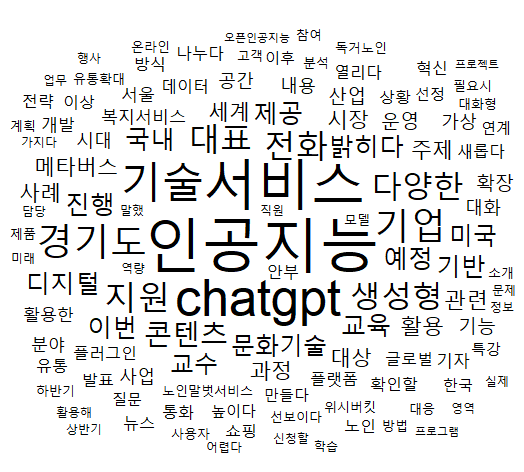
3. 흑백으로 그리기
set.seed(123)
word_count %>%
  filter(n > 20) %>%
  ggplot(mapping = aes(label = word,
                       size = n)) +
  geom_text_wordcloud_area() +
  scale_size_area(max_size = 20) +
  theme_minimal()
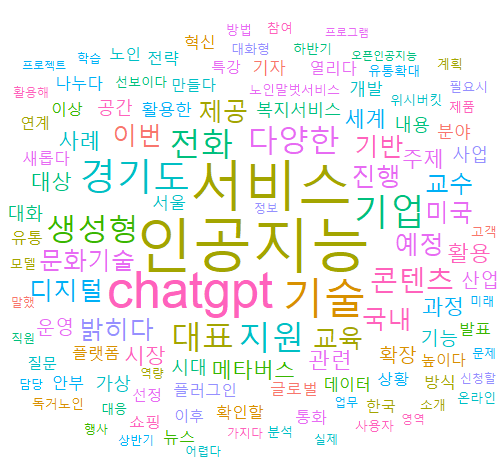
4. 여러가지 색으로 그리기
set.seed(123)
color <- sample.int(n = 10,  # 색 갯수 지정
                    size = nrow(word_count %>%
                                  filter(n > 20)), # 단어에 색 넣기.
                    replace = TRUE)

word_count %>%
  filter(n > 20) %>%        # 위 color의 size의 filter n>20과 같아야 함
  ggplot(mapping = aes(label = word,
                       size = n,
                       color = factor(color))) +
  geom_text_wordcloud_area() +
  scale_size_area(max_size = 20) +
  theme_minimal()
✔️ slicemx는 매칭이 되어야 한다.
✔️ 필터로 처리하면 똑같이 필터로 처리, 50개면 50개로 처리한다.
5. 워드클라우드 결과