[Spring] 파일 입출력: 다중 파일 업로드, File Drop, 지도 데이터
[Spring] 파일 입출력 (commons-io)
🌿파일 업로드 설정 pom.xml 4.0.0 com.test file FileTest war 1.0.0-BUILD-SNAPSHOT 11 5.0.7.RELEASE 1.6.10 1.6.6 org.springframework spring-context ${org.springframework-version} commons-logging commons-logging org.springframework spring-webmvc ${or
isaac-christian.tistory.com
파일 입출력 글에서 이어진다.
🌿파일 생성
FileTest
- script.sql
Controller
- MultiFileController
com.test.file.model
- FileDAO.java (I)
- FileDAOImpl.java (C)
- PlaceDTO.java
- PicDTO.java
resources > mapper
- file.xml
views > multi
- list.jsp
- add.jsp
- view.jsp
🌿전체 코드
script.sql
-- FileTest > script.sql

drop table tblPic;
drop table tblPlace;
drop sequence seqPlace;
drop sequence seqPic;

create table tblPlace (
	seq number primary key,
	subject varchar2(500) not null,
	content varchar2(1000) not null,
	regdate date default sysdate not null
);

create table tblPic (
	seq number primary key,
	filename varchar2(300) not null,
	pseq number references tblPlace(seq) not null
);

create sequence seqPlace;
create sequence seqPic;

select * from tblPlace;
select * from tblPic;

select * from tblPlace where seq = 1;
select * from tblPic where pseq = 1;

-- 게시물의 첨부파일 개수
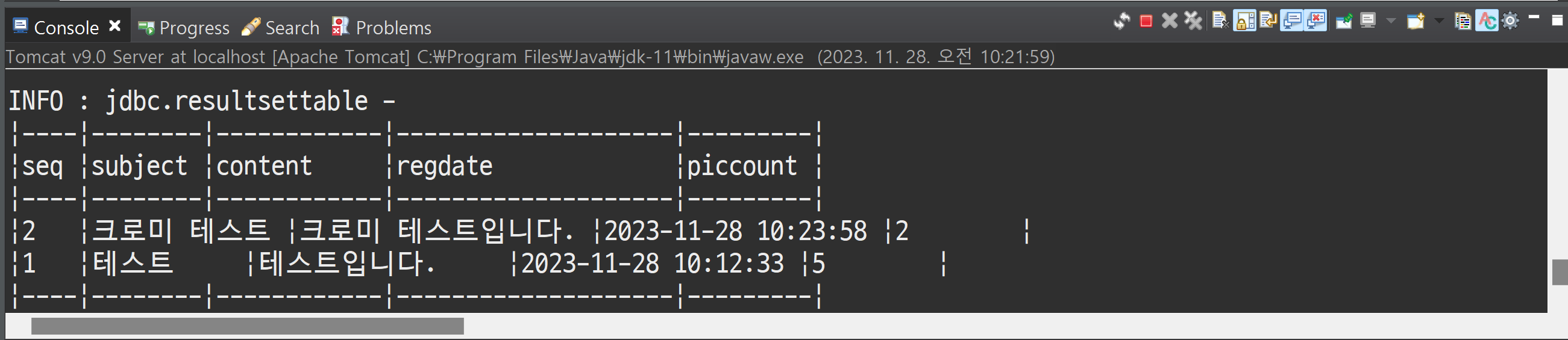
select a.*, (select count(*) from tblPic where pseq = a.seq) as picCount from tblPlace a order by seq desc;
장소와 사진을 게시물로 관리하기 위해 제목, 내용을 컬럼으로 추가하였다.
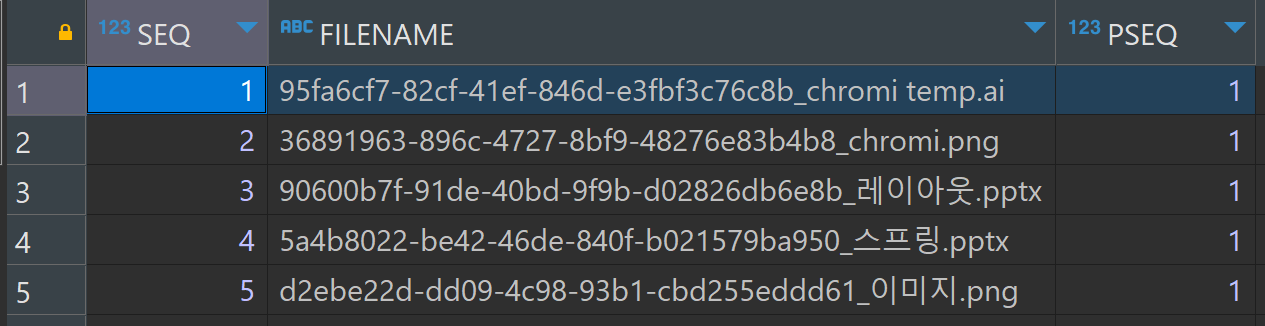
첨부파일은 1:N 관계이기 때문에 정규화에 위배되므로 자식 테이블을 생성하여 관리하도록 한다.
MultiFileController
MultipleFile을 배열로 선언
//등록하기(처리)
@PostMapping(value = "/multi/addok.do")
public String multiaddok(Model model, PlaceDTO dto, MultipartFile[] attach, HttpServletRequest req) {

	for (MultipartFile file : attach) {
		System.out.println(file.getOriginalFilename());
		System.out.println(file.getContentType());
		System.out.println(file.isEmpty());
		System.out.println();
	}

	return "multi/addok";
}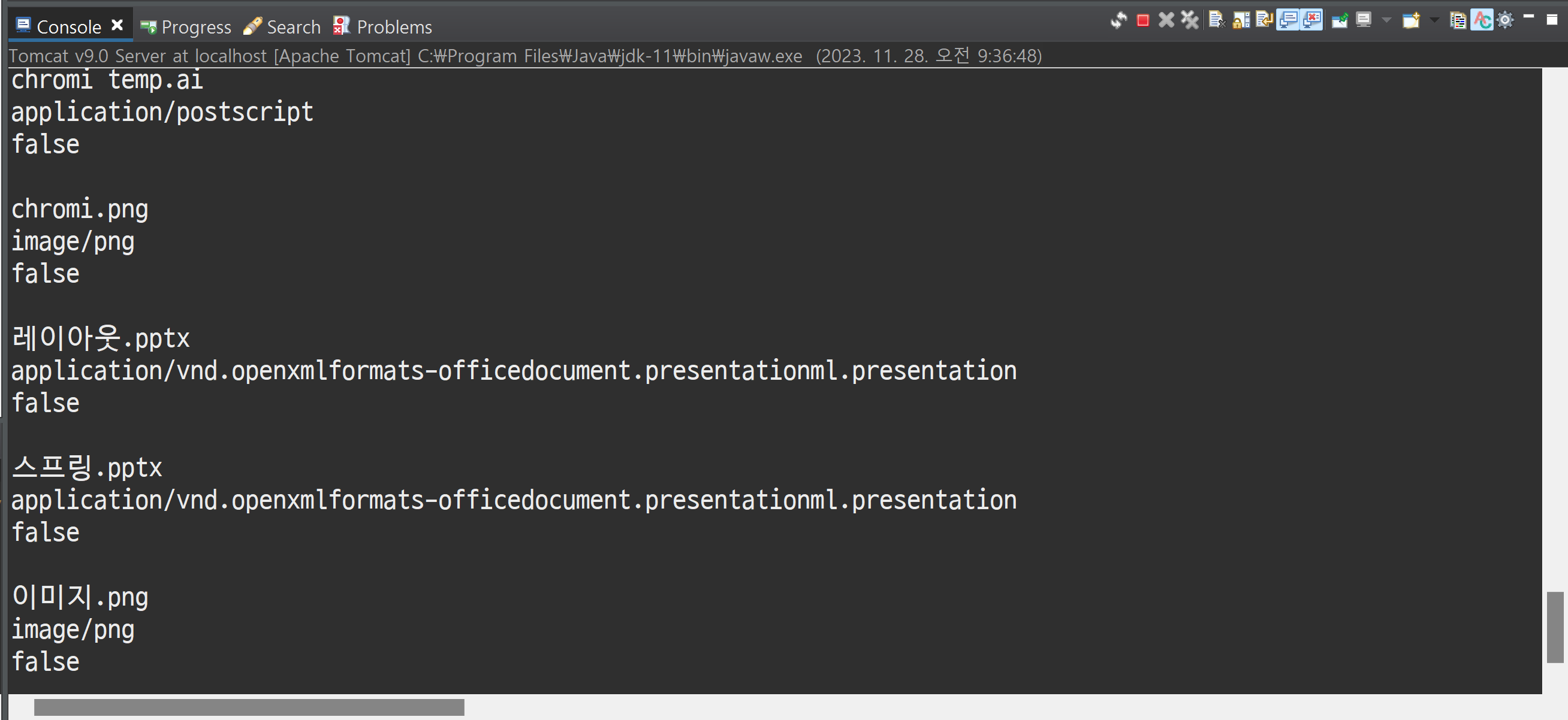
addok로 첨부파일을 받아올 때 MultipartFile로 받는다. 그런데 이번에는 첨부 파일이 여러 개이기 때문에 MultipartFile을 배열로 받도록 한다. 그리고 파일 업로드 때문에 request가 필요하다.
파일 저장 경로
- C:\Class\code\spring\.metadata\.plugins\org.eclipse.wst.server.core\tmp0\wtpwebapps\FileTest\resources\files
//등록하기(처리)
@PostMapping(value = "/multi/addok.do")
public String multiaddok(Model model, PlaceDTO dto, MultipartFile[] attach, HttpServletRequest req) {

	for (MultipartFile file : attach) {
		/*
		 * System.out.println(file.getOriginalFilename());
		 * System.out.println(file.getContentType());
		 * System.out.println(file.isEmpty()); System.out.println();
		 */

		try {

			UUID uuid = UUID.randomUUID();

			String filename = uuid + "_" + file.getOriginalFilename();

			file.transferTo(new File(req.getRealPath("/resources/files") + "\\" + filename));

		} catch (Exception e) {
			e.printStackTrace();
		}

		System.out.println(req.getRealPath("/resources/files"));

	}

	return "multi/addok";
}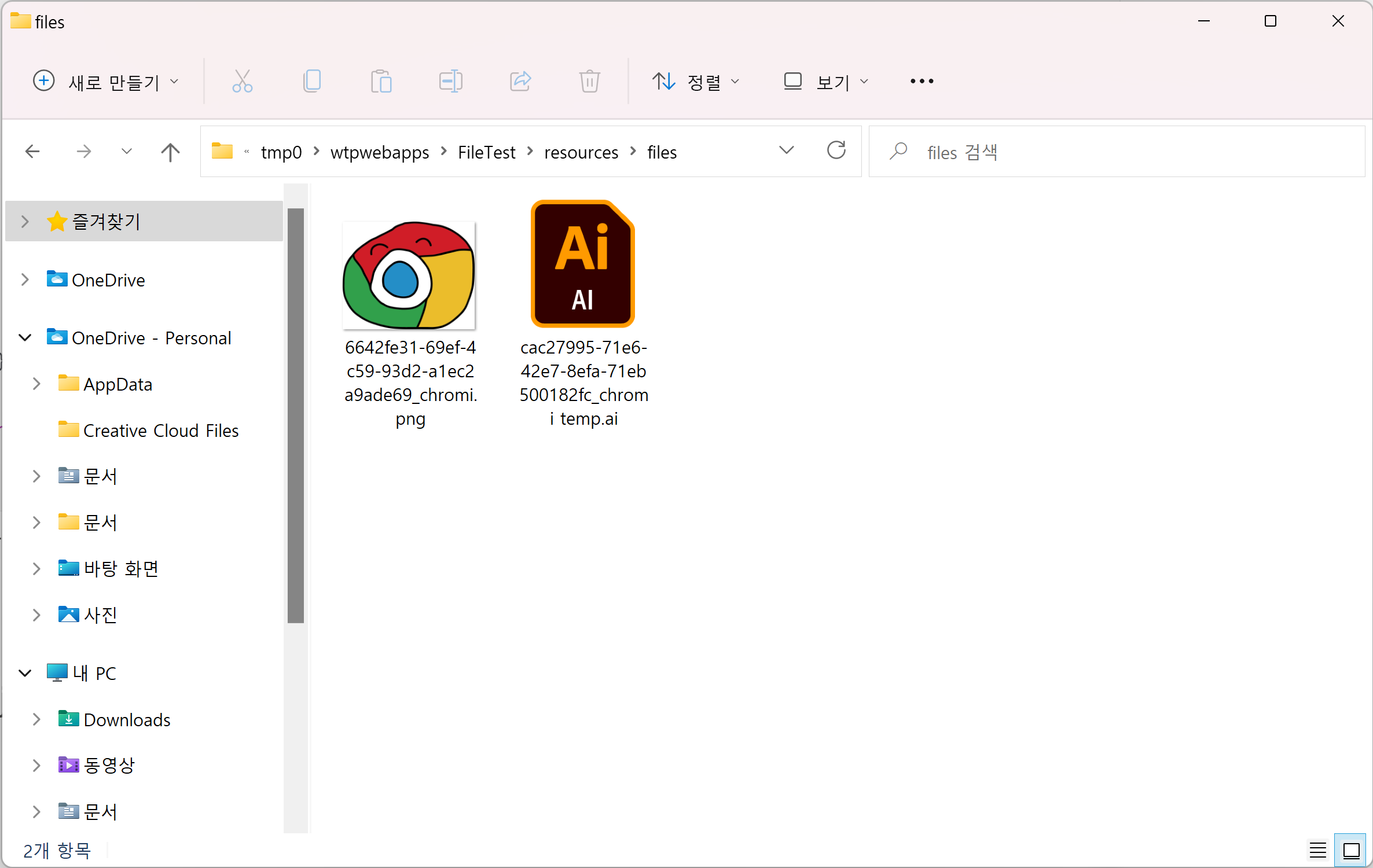
파일을 보내면 위 경로에 파일이 저장된다.
지도 데이터
package com.test.file.controller;

import java.io.File;
import java.util.ArrayList;
import java.util.List;
import java.util.UUID;

import javax.servlet.http.HttpServletRequest;

import org.springframework.beans.factory.annotation.Autowired;
import org.springframework.stereotype.Controller;
import org.springframework.ui.Model;
import org.springframework.web.bind.annotation.GetMapping;
import org.springframework.web.bind.annotation.PostMapping;
import org.springframework.web.multipart.MultipartFile;

import com.drew.imaging.ImageMetadataReader;
import com.drew.metadata.Metadata;
import com.drew.metadata.exif.GpsDirectory;
import com.test.file.model.FileDAO;
import com.test.file.model.PicDTO;
import com.test.file.model.PlaceDTO;

@Controller
public class MultiFileController {

	@Autowired
	private FileDAO dao;

	//목록보기
	@GetMapping(value = "/multi/list.do")
	public String list(Model model) {

		List<PlaceDTO> list = dao.list();

		model.addAttribute("list", list);

		return "multi/list";
	}

	//상세보기
	@GetMapping(value = "/multi/view.do")
	public String view(Model model, String seq, HttpServletRequest req) {

		PlaceDTO dto = dao.get(seq);

		PicDTO pdto = dto.getPicList().get(0);

		if (pdto != null) {

			//사진 파일 접근
			File file = new File(req.getRealPath("/resources/files/" + pdto.getFilename()));

			try {

				//파일의 메타 데이터를 가져오기
				Metadata metadata = ImageMetadataReader.readMetadata(file);

				//위치 정보(GPS 정보) 가져오기
				GpsDirectory gps = metadata.getFirstDirectoryOfType(GpsDirectory.class);

				if (gps.containsTag(GpsDirectory.TAG_LATITUDE)
						&& gps.containsTag(GpsDirectory.TAG_LONGITUDE)) {
					double lat = gps.getGeoLocation().getLatitude();
					double lng = gps.getGeoLocation().getLongitude();

					//System.out.println(lat);
					//System.out.println(lng);

					//JSP에 전송
					model.addAttribute("lat", lat);
					model.addAttribute("lng", lng);
				}

			} catch (Exception e) {
				e.printStackTrace();
			}

		}

		model.addAttribute("dto", dto);

		return "multi/view";
	}

	//등록하기
	//http://localhost:8090/file/multi/add.do
	@GetMapping(value = "/multi/add.do")
	public String multiadd(Model model) {

		return "multi/add";
	}

	//등록하기(처리)
	@PostMapping(value = "/multi/addok.do")
	public String multiaddok(Model model, PlaceDTO dto, MultipartFile[] attach, HttpServletRequest req) {

		dto.setPicList(new ArrayList<PicDTO>()); //첨부 파일 배열

		for (MultipartFile file : attach) {
			/*
			 * System.out.println(file.getOriginalFilename());
			 * System.out.println(file.getContentType());
			 * System.out.println(file.isEmpty()); System.out.println();
			 */

			try {

				UUID uuid = UUID.randomUUID();

				String filename = uuid + "_" + file.getOriginalFilename();

				file.transferTo(new File(req.getRealPath("/resources/files") + "\\" + filename));

				//첨부파일 1개 > PicDTO 1개
				PicDTO pdto = new PicDTO();
				pdto.setFilename(filename);

				dto.getPicList().add(pdto);

			} catch (Exception e) {
				e.printStackTrace();
			}
		}

		System.out.println(req.getRealPath("/resources/files"));

		int result = dao.add(dto);

		if (result > 0) {
			return "redirect:/multi/list.do";
		} else {
			return "redirect:/multi/add.do";
		}

	}

}
첨부 파일 배열(DTO 배열)을 만들어서 반복문 안에서 첨부파일 1개당 PicDTO를 1개 만들도록 한다.
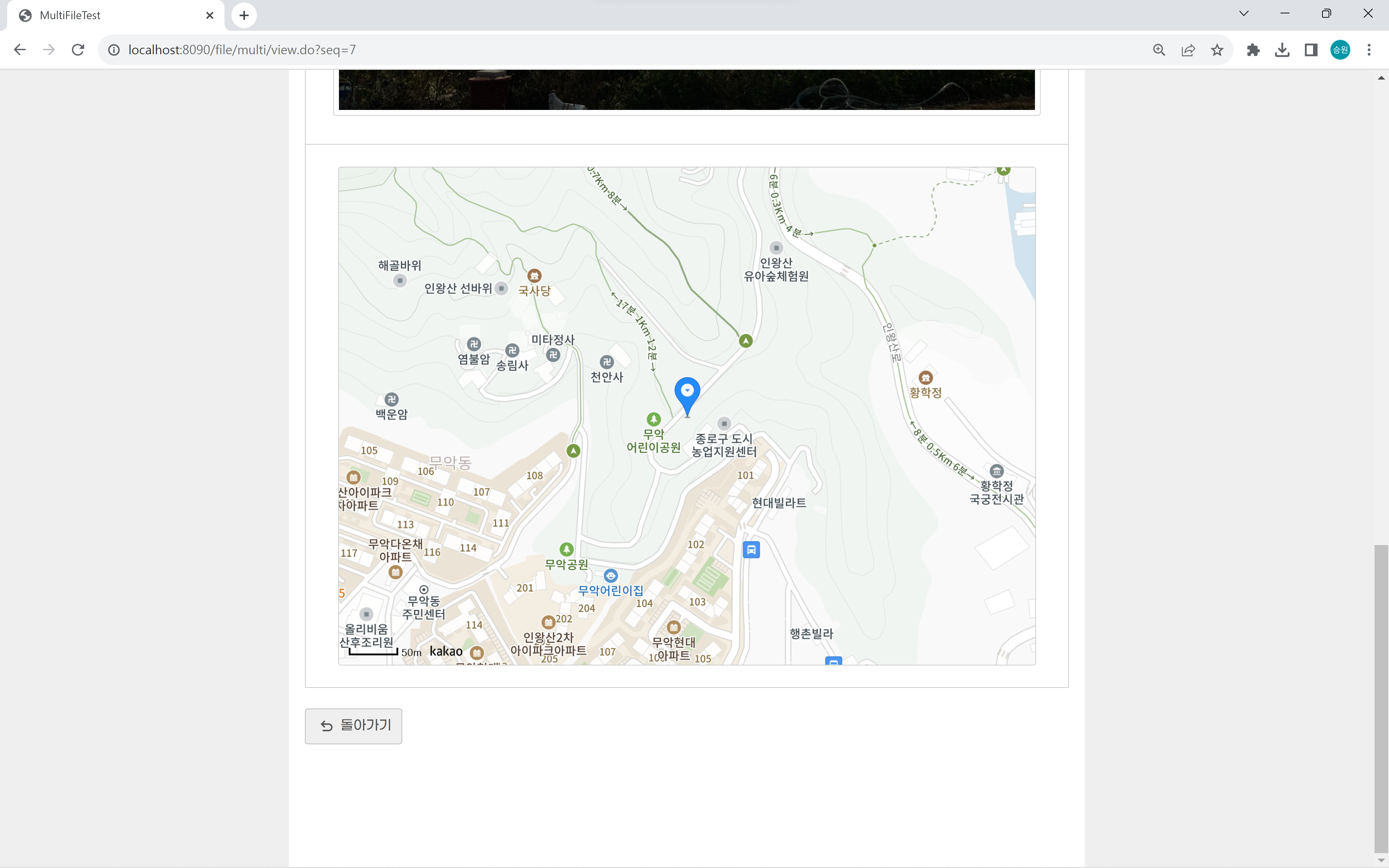
지도 데이터에 주소가 있을 경우 가져오도록 한다.
FileDAO.java (I)
package com.test.file.model;

import java.util.List;

public interface FileDAO {

	int add(PlaceDTO dto);

	List<PlaceDTO> list();

	PlaceDTO get(String seq);

}
FileDAOImpl.java (C)
package com.test.file.model;

import java.util.List;

import org.mybatis.spring.SqlSessionTemplate;
import org.springframework.beans.factory.annotation.Autowired;
import org.springframework.stereotype.Repository;

@Repository
public class FileDAOImpl implements FileDAO {

	@Autowired
	private SqlSessionTemplate template;

	@Override
	public int add(PlaceDTO dto) {

		//게시물 등록하기
		int result = template.insert("file.add", dto);

		//방금 등록한 게시물 번호 가져오기
		int seq = template.selectOne("file.seq");

		//첨부 파일 등록하기
		for(PicDTO pdto: dto.getPicList()) {
			//첨부 파일이 몇 개인지 모르므로 PicDTO를 꺼낸다.

			pdto.setPseq(seq + ""); //문자열로 넣어놨으므로 문자열 처리를 해야 한다.

			result += template.insert("file.picadd", pdto);

		}

		return result;
	}

	@Override
	public List<PlaceDTO> list() {

		return template.selectList("file.list");
	}

	@Override
	public PlaceDTO get(String seq) {

		PlaceDTO dto = template.selectOne("file.get", seq);

		List<PicDTO> plist = template.selectList("file.plist", seq);

		dto.setPicList(plist);

		return dto;
	}

}
본인 스스로 SqlSessionTemplate를 의존하므로 의존 주입을 하도록 한다.
PlaceDTO.java
package com.test.file.model;

import java.util.List;

import lombok.Data;

@Data
public class PlaceDTO {

	private String seq;
	private String subject;
	private String content;
	private String regdate;

	private List<PicDTO> picList;
	private int picCount;

}
첨부파일 하나당 PicDTO 하나이기 때문에 컬렉션을 이용하도록 한다.
데이터베이스상에는 4개의 테이블만 있다. 하지만 이 안에 하위 테이블의 컬럼을 넣어두는 게 좋다.
자식 객체를 부모 객체에 넣어두면 실제로 관리할 때 훨씬 편하다.
서브 쿼리로 게시물 개수를 가져오도록 picCount를 만들었다.
PicDTO.java
package com.test.file.model;

import lombok.Data;

@Data
public class PicDTO {

	private String seq;
	private String filename;
	private String pseq;

}
file.xml
<?xml version="1.0" encoding="UTF-8"?>
<!DOCTYPE mapper PUBLIC "-//mybatis.org//DTD Mapper 3.0//EN" "http://mybatis.org/dtd/mybatis-3-mapper.dtd">
<mapper namespace="file">
	<insert id="add" parameterType="com.test.file.model.PlaceDTO">
		insert into tblPlace (seq, subject, content, regdate)
			values (seqPlace.nextVal, #{subject}, #{content}, default)
	</insert>

	<!-- 최근 게시글 -->
	<select id="seq" resultType="Integer">
		select max(seq) from tblPlace
	</select>

	<insert id="picadd" parameterType="com.test.file.model.PicDTO">
		insert into tblPic (seq, filename, pseq)
			values (seqPic.nextVal, #{filename}, #{pseq})
	</insert>

	<!-- 게시물의 첨부파일 개수 -->
	<select id="list" resultType="com.test.file.model.PlaceDTO">
		select
			a.*,
			(select count(*) from tblPic where pseq = a.seq) as picCount
		from tblPlace a
			order by seq desc
	</select>

	<!-- 게시물 상세보기 -->
	<select id="get" parameterType="String" resultType="com.test.file.model.PlaceDTO">
		select * from tblPlace where seq = #{seq}
	</select>

	<select id="plist" parameterType="String" resultType="com.test.file.model.PicDTO">
		select * from tblPic where pseq = #{seq}
	</select>
</mapper>
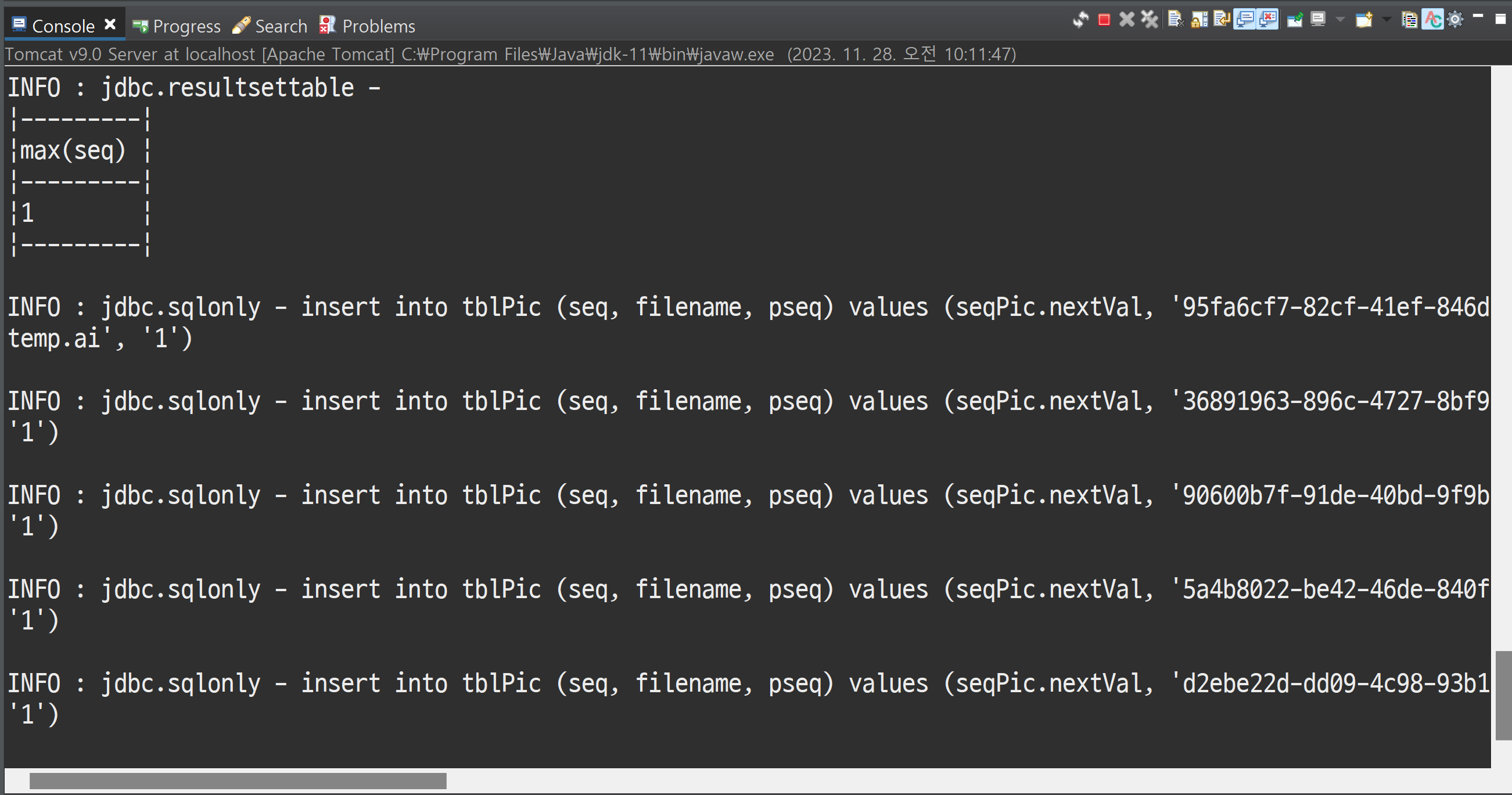
방금 작성한 글 번호이므로 max로 seq를 가져오는 select문을 작성하였다.
list.jsp
<%@ page language="java" contentType="text/html; charset=UTF-8"
    pageEncoding="UTF-8"%>
<%@ taglib prefix="c" uri="http://java.sun.com/jsp/jstl/core" %>
<!DOCTYPE html>
<html>
<head>
<meta charset="UTF-8">
<title>MultiFileTest</title>
<link rel="stylesheet" href="https://me2.do/5BvBFJ57">
<style>

	table th:nth-child(1) { width: 50px; }
	table th:nth-child(2) { width: auto; }
	table th:nth-child(3) { width: 140px; }
	table th:nth-child(4) { width: 180px; }

	table td:nth-child(3) span {
		fload: left;
	}

</style>
</head>
<body>
	<!-- list.jsp -->
	<h1>장소 <small>목록보기</small></h1>

	<table>
		<tr>
			<th>번호</th>
			<th>제목</th>
			<th>파일</th>
			<th>날짜</th>
		</tr>
		<c:forEach items="${list}" var="dto">
		<tr>
			<td>${dto.seq}</td>
			<td><a href="/file/multi/view.do?seq=${dto.seq}">${dto.subject}</a></td>
			<td>
				<c:forEach var="i" begin="1" end="${dto.picCount}">
				<span class="material-symbols-outlined">imagesmode</span>
				</c:forEach>
			</td>
			<td>${dto.regdate}</td>
		</tr>
		</c:forEach>
	</table>
	<div>
		<button type="button" class="add" onclick="location.href='/file/multi/add.do';">등록하기</button>
	</div>

	<script src="https://code.jquery.com/jquery-1.12.4.js"></script>
	<script>

	</script>
</body>
</html>
add.jsp
<input type="file" name="attach" multiple>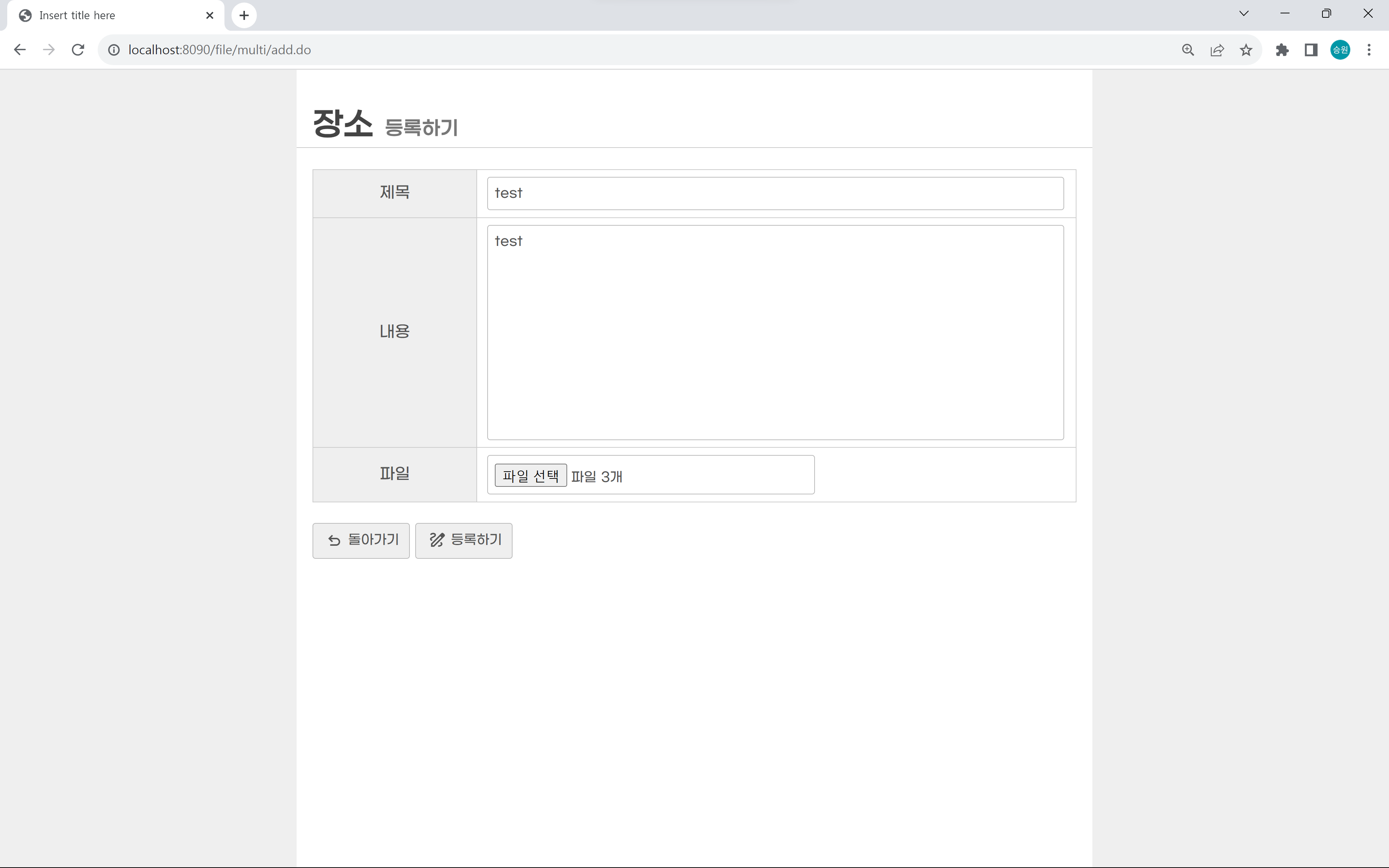
첨부 파일을 보낼 수 있는 방법은 input type 태그 말고는 없다. 물론 ajax를 이용해 보낼 수도 있지만, 이는 번외이다.
multiple 속성을 적용하면 파일을 여러 개를 선택할 수 있다. 이는 input 태그가 파일을 선택한 만큼 생성이 된다고 생각하면 된다.
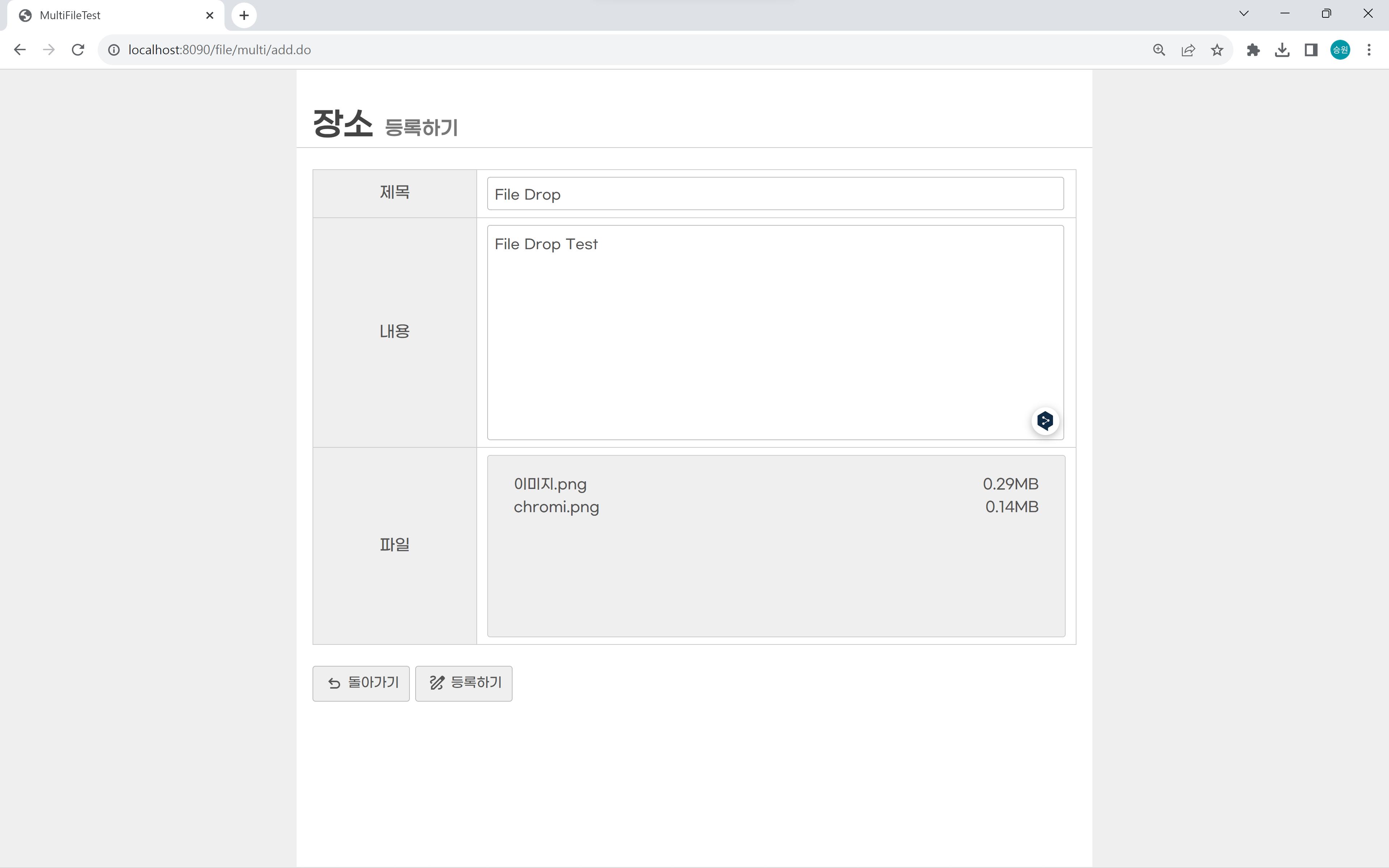
File Drop
<%@ page language="java" contentType="text/html; charset=UTF-8"
	pageEncoding="UTF-8"%>
<%@taglib prefix="c" uri="http://java.sun.com/jsp/jstl/core"%>
<!DOCTYPE html>
<html>
<head>
<meta charset="UTF-8">
<title>MultiFileTest</title>
<link rel="stylesheet" href="https://me2.do/5BvBFJ57">
<style>
	#attach-zone {
		border: 1px solid #CCC;
		border-radius: 3px;
		background-color: #EFEFEF;
		width: 548px;
		height: 150px;
		overflow: auto;
		padding: 1rem;
	}

	#attach-zone .item {
		display: flex;
		justify-content: space-between;
		font-size: 14px;
		margin: 5px 10px;
	}

	input[name=attach] {
		display: none;
	}
</style>
</head>
<body>
	<!-- add.jsp -->
	<h1>
		장소 <small>등록하기</small>
	</h1>

	<form method="POST" action="/file/multi/addok.do"
		enctype="multipart/form-data">
		<table class="vertical">
			<tr>
				<th>제목</th>
				<td><input type="text" name="subject" required class="full"></td>
			</tr>
			<tr>
				<th>내용</th>
				<td><textarea name="content" required class="full"></textarea></td>
			</tr>
			<!--
			<tr>
				<th>파일</th>
				<td><input type="file" name="attach" multiple></td>
			</tr>
			-->
			<tr>
				<th>파일</th>
				<td><input type="file" name="attach" multiple>
					<div id="attach-zone"></div></td>
			</tr>
		</table>
		<div>
			<button type="button" class="back"
				onclick="location.href='/file/multi/list.do';">돌아가기</button>
			<button type="submit" class="add">등록하기</button>
		</div>
	</form>

	<script src="https://code.jquery.com/jquery-1.12.4.js"></script>
	<script>
		$('#attach-zone').on('dragenter', function(e) {
			e.preventDefault();
			e.stopPropagation();
		}).on('dragover', function(e) {
			e.preventDefault();
			e.stopPropagation();
		}).on('dragleave', function(e) {
			e.preventDefault();
			e.stopPropagation();
		}).on('drop', function(e) {
			e.preventDefault();
			e.stopPropagation();

			const files = e.originalEvent.dataTransfer.files;

			$(this).html(''); //초기화

			if (files != null && files != undefined) {

				let temp = '';

				for (let i = 0; i < files.length; i++) {

					//console.log(files[i].name);
					let filename = files[i].name;
					let filesize = files[i].size / 1024 / 1024; //MB

					//파일 크기가 한 자리보다 작은 경우 소수점 2자리까지 출력
					filesize = filesize < 1 ? filesize.toFixed(2) : filesize.toFixed(2);

					temp += `
						<div class="item">
							<span>\${filename}</span>
							<span>\${filesize}MB</span>
						</div>
					`
				}//for

				$(this).append(temp); //추가

				$('input[name=attach]').prop('files', files);

			}//if

		});//drag
	</script>
</body>
</html>
파일을 드랍하여 업로드할 수 있는 기능을 추가했다.
view.jsp
<%@ page language="java" contentType="text/html; charset=UTF-8"
    pageEncoding="UTF-8"%>
<%@taglib prefix="c" uri="http://java.sun.com/jsp/jstl/core" %>
<!DOCTYPE html>
<html>
<head>
<meta charset="UTF-8">
<title>MultiFileTest</title>
<link rel="stylesheet" href="https://me2.do/5BvBFJ57">
<style>
	table th { width: 150px; }
	table tr:nth-child(1) td:nth-child(2) { width: 150px; }
	table tr:nth-child(3) { height: 100px; }
	table tr:nth-child(4) img {
		display: inline-flex;
		border: 1px solid #CCC;
		border-radius: 3px;
		padding: 5px;
		margin: 15px auto;
		max-width: 350px;
	}
    table tr:nth-child(4) {
        text-align: center;
    }
</style>
</head>
<body>
	<!-- view.jsp -->
	<h1>장소 <small>상세보기</small></h1>

	<table>
		<tr>
			<th>번호</th>
			<td>${dto.seq}</td>
			<th>날짜</th>
			<td>${dto.regdate}</td>
		</tr>
		<tr>
			<th>제목</th>
			<td colspan="3">${dto.subject}</td>
		</tr>
		<tr>
			<th>내용</th>
			<td colspan="3"><c:out value="${dto.content}"/></td>
		</tr>
		<tr>
			<td colspan="4">
			<c:forEach items="${dto.picList}" var="pdto">
				<img src="/file/resources/files/${pdto.filename}">
			</c:forEach>
			</td>
		</tr>
	</table>
	<div>
		<button type="button" class="back" onclick="location.href='/file/multi/list.do';">돌아가기</button>
	</div>
	<script src="https://code.jquery.com/jquery-1.12.4.js"></script>
	<script>

	</script>
</body>
</html>
🍃지도 데이터
- metadata
- xmpcore
https://mvnrepository.com/artifact/com.drewnoakes/metadata-extractor/2.9.1
https://mvnrepository.com/artifact/com.adobe.xmp/xmpcore/5.1.2
<!-- https://mvnrepository.com/artifact/com.drewnoakes/metadata-extractor -->
<dependency>
	<groupId>com.drewnoakes</groupId>
	<artifactId>metadata-extractor</artifactId>
	<version>2.9.1</version>
</dependency>

<!-- https://mvnrepository.com/artifact/com.adobe.xmp/xmpcore -->
<dependency>
	<groupId>com.adobe.xmp</groupId>
	<artifactId>xmpcore</artifactId>
	<version>5.1.2</version>
</dependency>
pom.xml에 위 코드를 추가한다.
<%@ page language="java" contentType="text/html; charset=UTF-8"
    pageEncoding="UTF-8"%>
<%@taglib prefix="c" uri="http://java.sun.com/jsp/jstl/core" %>
<!DOCTYPE html>
<html>
<head>
<meta charset="UTF-8">
<title>MultiFileTest</title>
<link rel="stylesheet" href="https://me2.do/5BvBFJ57">
<style>
	table th { width: 150px; }
	table tr:nth-child(1) td:nth-child(2) { width: 150px; }
	table tr:nth-child(3) { height: 100px; }
	table tr:nth-child(4) img {
		display: inline-flex;
		border: 1px solid #CCC;
		border-radius: 3px;
		padding: 5px;
		margin: 15px auto;
		max-width: 700px;
	}
    table tr:nth-child(4) {
        text-align: center;
    }

    #map {
    	width: 700px;
    	height: 500px;
    	margin: 15px auto;
    	border: 1px solid #CCC;
		border-radius: 3px;
    }
</style>
</head>
<body>
	<!-- view.jsp -->
	<h1>장소 <small>상세보기</small></h1>

	<table>
		<tr>
			<th>번호</th>
			<td>${dto.seq}</td>
			<th>날짜</th>
			<td>${dto.regdate}</td>
		</tr>
		<tr>
			<th>제목</th>
			<td colspan="3">${dto.subject}</td>
		</tr>
		<tr>
			<th>내용</th>
			<td colspan="3"><c:out value="${dto.content}"/></td>
		</tr>
		<tr>
			<td colspan="4">
			<c:forEach items="${dto.picList}" var="pdto">
				<img src="/file/resources/files/${pdto.filename}">
			</c:forEach>
			</td>
		</tr>
		<c:if test="${not empty lat}">
		<tr>
			<td colspan="4">
				<div id="map"></div>
			</td>
		</tr>
		</c:if>
	</table>
	<div>
		<button type="button" class="back" onclick="location.href='/file/multi/list.do';">돌아가기</button>
	</div>

	<script type="text/javascript" src="//dapi.kakao.com/v2/maps/sdk.js?appkey=d9a9dc5f180000f50bb124866e70f51a"></script>
	<script src="https://code.jquery.com/jquery-1.12.4.js"></script>
	<script>
		if (${not empty lat}) {

			const container = document.getElementById('map');

			const options = {
				center: new kakao.maps.LatLng(${lat}, ${lng}),
				level: 3
			};

			const map = new kakao.maps.Map(container, options);

			const marker = new kakao.maps.Marker({
				position: new kakao.maps.LatLng(${lat}, ${lng})
			});

			marker.setMap(map);
		}
	</script>
</body>
</html>
꼭 위도 경도가 아니더라도 metadata는 모두 가져올 수 있으므로 좀 더 전문적인 서비스 제공이 가능하다.
🌿결과
등록하기


File Drop
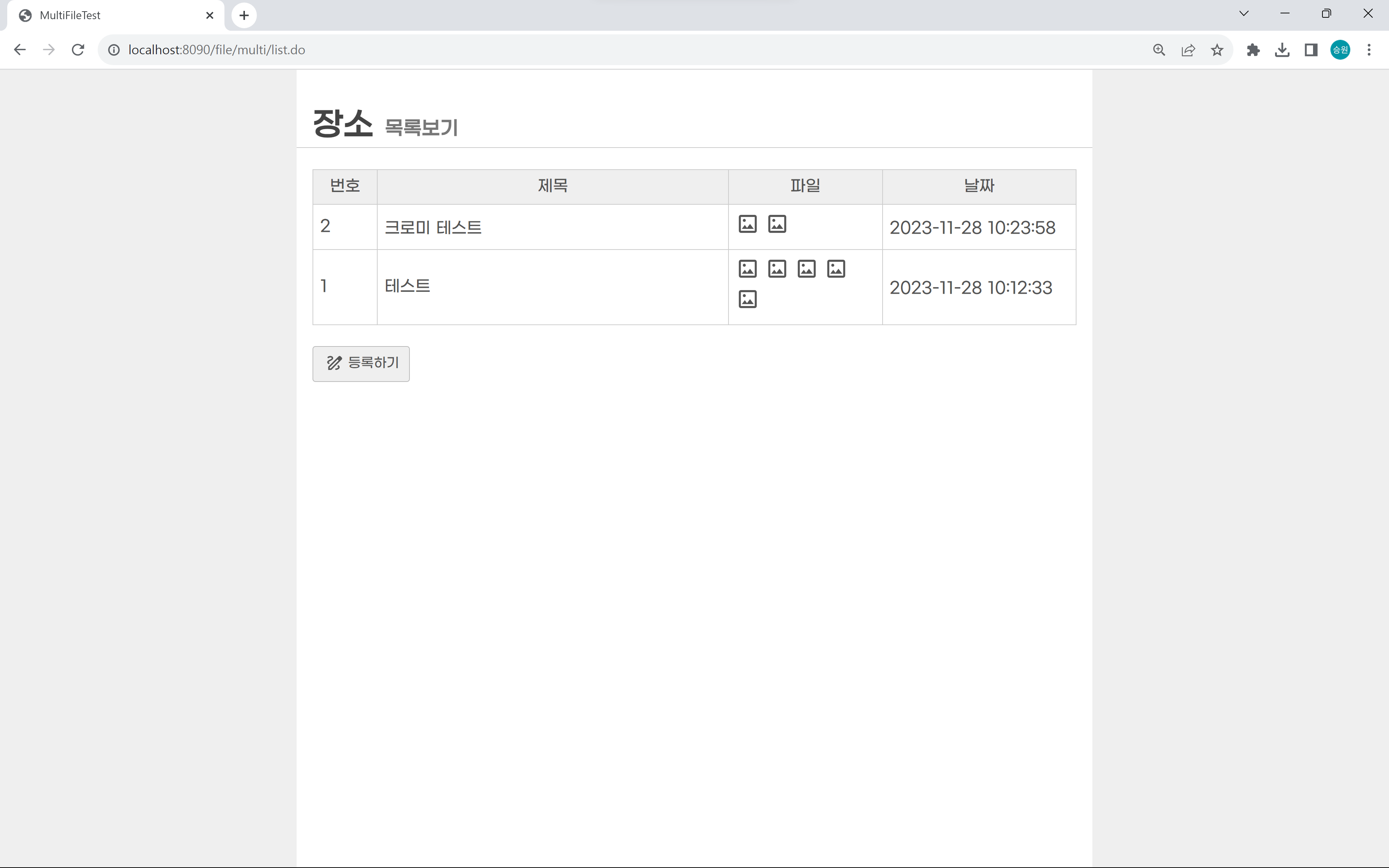
목록보기
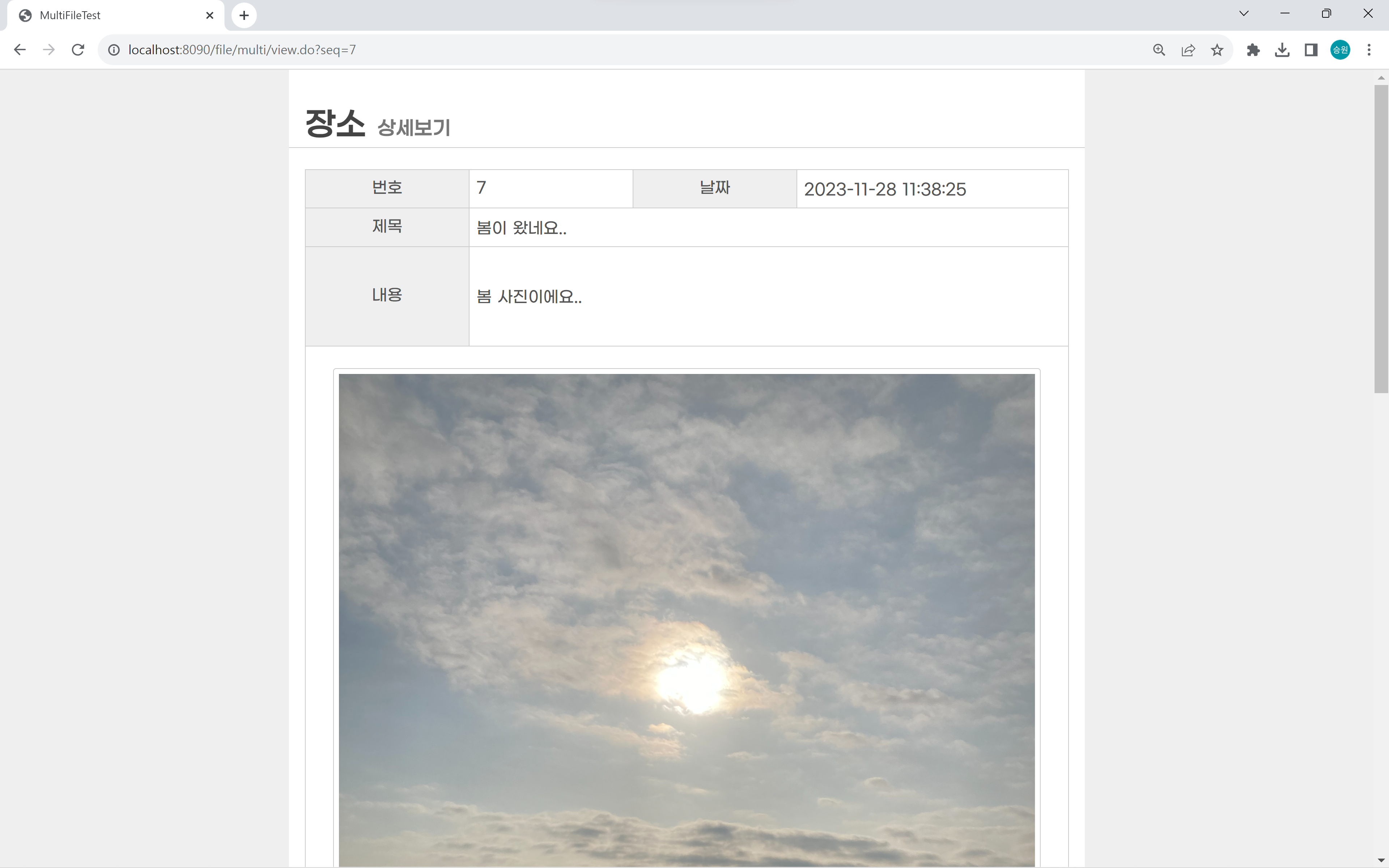
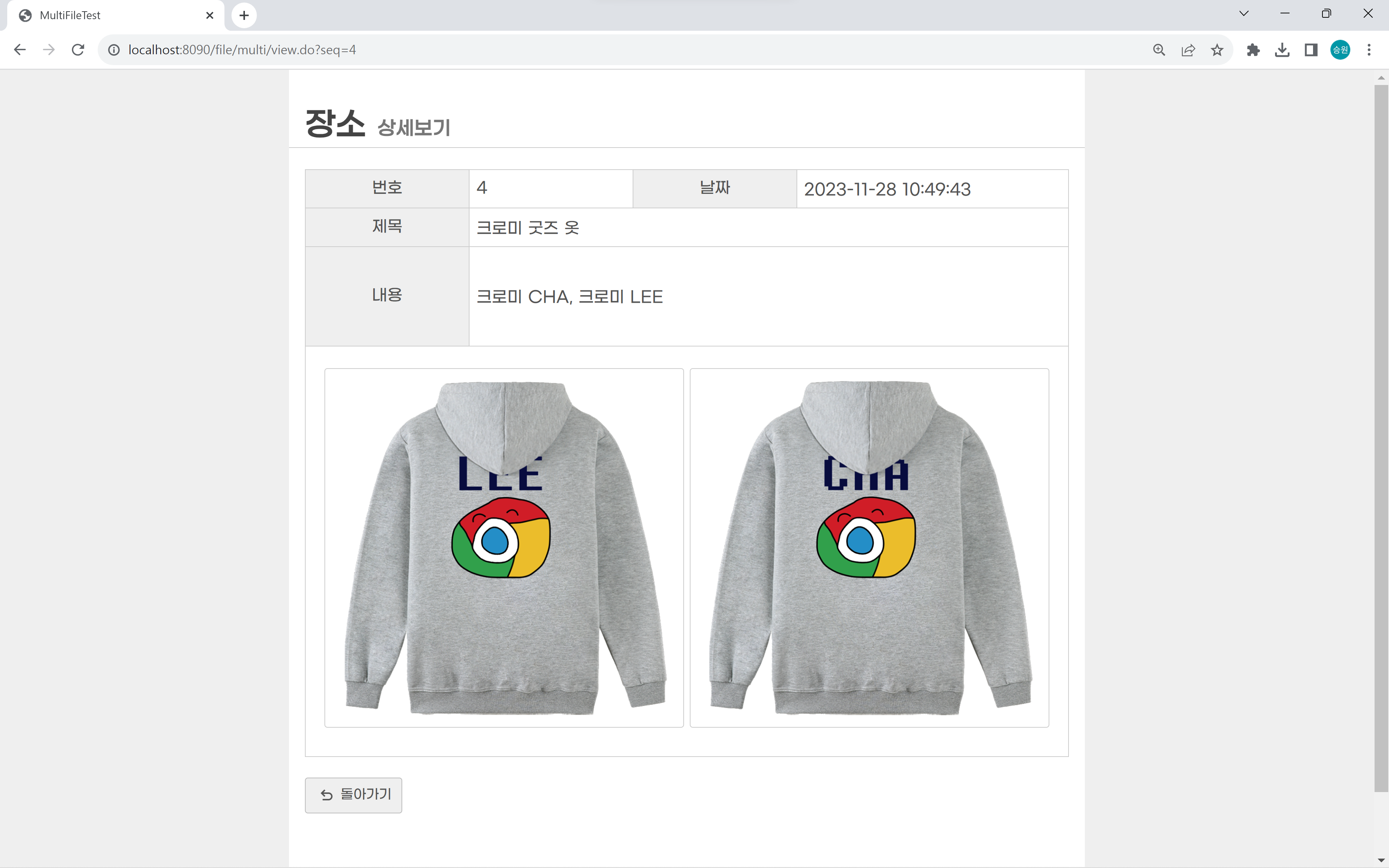
상세보기
지도 데이터